
Translate 






|
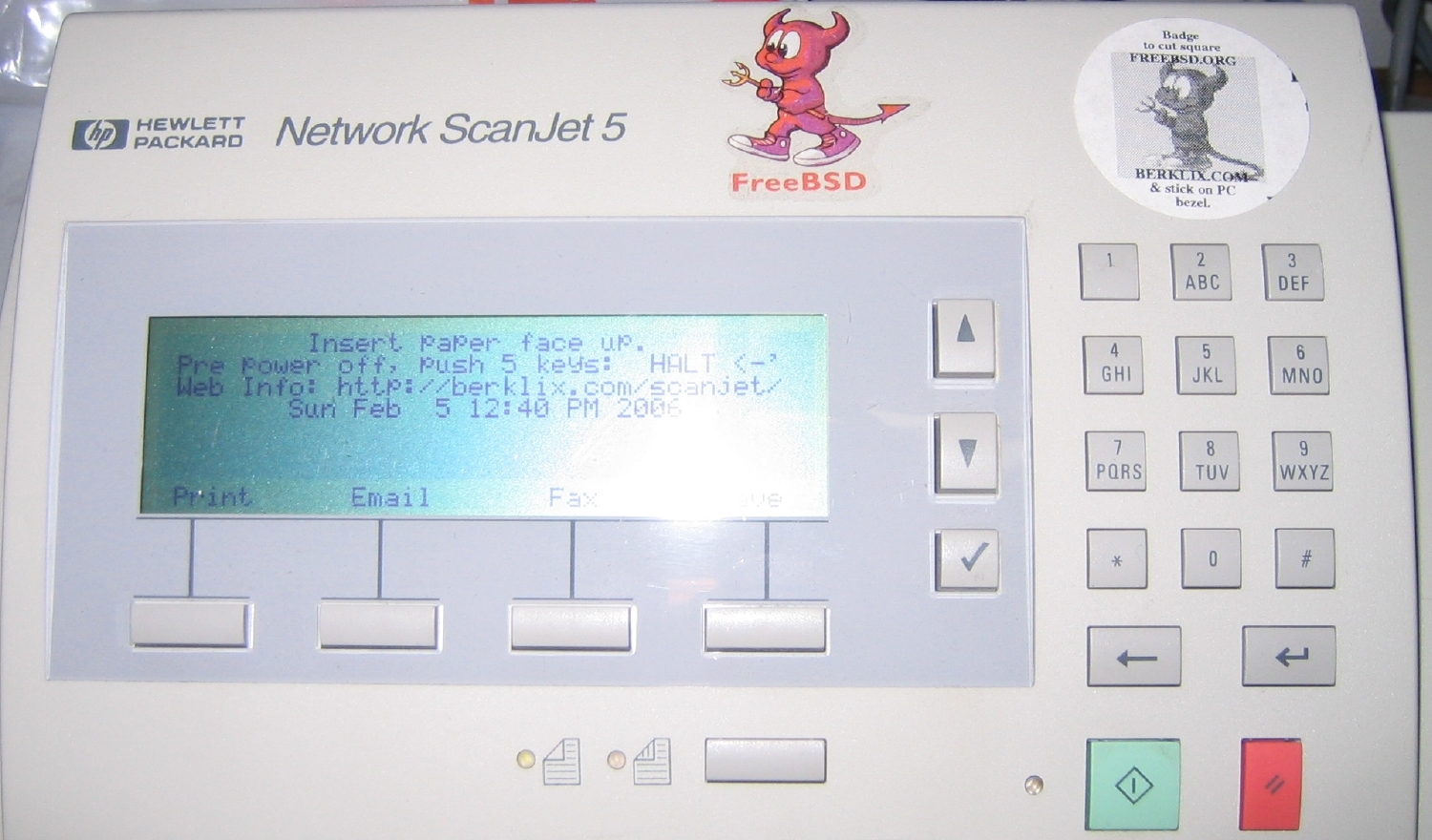
Hewlett Packard Network ScanJet 5 [& 6] (=HP 9100C) Upgrade & Conversion Kithttp://www.berklix.com/scanjet/ by: Julian H. StaceySoftware & Hardware upgrades to FreeBSD (& Linux)Upgrade your multi sheet feed scanner software yourself
Free, or
|
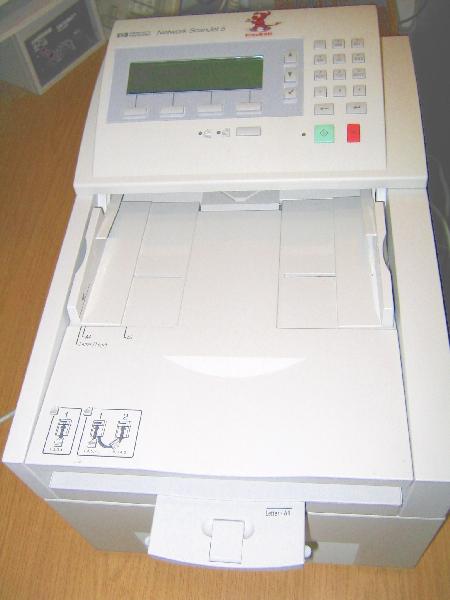

| "Portrait|Normal" | |
| "Portrait|Reverse" | Useful if top edge of document is damaged, so you want to feed in document with undamaged bottom edge of paper into slot. |
| "Landscape|Normal" | If top of text is on the right, or right edge of picture is damaged. |
| "Landscape|Reverse" | If top of text is on the left, or left edge of picture is damaged. |
Paper Size
You can select US letter & A4 etc in config files & over ride on LCD screen. - Convenient even if you are regularly switching between USA Letter & A4 on a per document basisSingle & Double Sided
The software also supports double sided (One USA customer called that "Front To Back" - I Don't know if that's common USA parlance ?) , just insert the block a 2nd time, upside down, & it will interleave the output appropriately. (One simpler scanner I've heard of, a human has to first feed a double sided block into a copier that accepts double sided, get the copier to print single sided, & feed the new block into that other scanner. That waste of time & paper is Not necessary with this converted Network Scanjet.) If the automatic sheet feeder mechanism has an occasional double sheet feed error, on double sided paper the page images get mixed up. I provide 2 extra tools to help reshuffle the sides.Single Sheet
Yes it does single sheet too. Either:- You can put a normal full size paper sheet in the ADF, (which of course will align it consistently in the same way as other blocks of paper you enter through the ADF.
- You can put a single thick sheet of paper or card direct on the glass. Ditto for paper that is is too thin/ flimsy, torn. jagged, round etc: put it directly on the Converted Network Scanjet glass, face down of course. There's no extra option buttons you need to push.
Brightness
Adjust Brightness/ Darkness of scan via LCD screen control (very effective, recovering nasty old thin dark thermostatic copies from 1980 as I did 24 years after copying, in 2004).Note 90% is often Not too dark, but optimum ! This is because the number is scaled by script sjrun.sh that calls ghostscript.
Unique Filenames
Files are delivered to date stamped filenames.Time Synchronisation, Epoch, & Timestamps
A Time Server on your network is Not essential, but is reccomended.- The Network Scanjet at boot starts its clock at the epoch, (as hardware has no battery or CMOS clock running before machine is reset).
- Epoch time for the Network Scanjet hardware is 1.1.1988 (not the Unix software epoch time of 1.1.1970).
- Even if the Converted Network Scanjet is not powered off, but merely software reset = rebooted, it still reverts to the epoch).
- The Converted Network Scanjet is configured to try to find a timed server on your local network.
- If none is available locally, FreeBSD provides lots of time synchronisation methods such as eg ntpdate that you can enable or call to sync off the wider internet, (if your firewall is configured to allows it).
- Details of configuration are here.
- Any scanned images saved to disk files on the Converted Network Scanjet contain the time of the scan.
- If you boot the Converted Network Scanjet with no ethernet plugged in (which you can do if you want, eg to scan documents in a conference hall or garden), it won't find a time server, & dates in filenames will be shortly after the epoch.
Multiple Users
You can select via LCD to send scans via email to another PC (or across world if your net is configure right). Note all the software for mail is delivered, but customising it to your requirements is not in the basic conversion price, Customising is available for an extra consultancy fee .User Selection
4 modes to decide where data is stored/sent. In the default mode I use & configure at berklix.com, it asks which login name you want to store under. You can scroll through on LCD display.NFS & AMD in server & client mode : Included
I use a symbolic link named scanner in my home directory to point via NFS (Network File System) + AMD (Auto Mount Daemon) (both Included ), to another directory on another computer where I prefer to receive files. Settable on a per user basis, you can choose for some to have local storage on Converted Network Scanjet, & some to have remote. I find it's an ideal solution: the Scanjet joins my other Unix hosts as part of one large file store.tiffsplit & Merge : Included
Tools to tiffsplit & merge & convert to pdf & postscript Included (tiffsplit, Tiffcp, tiff2ps, Tiffswap (tiffswap is to help reorder pages after mechanism does an occasional erroneous double sheet feed)Format Conversions (& TIFF shuffle)
The berklix.mk & berklix2.mk Berklix make macros are Included , for easy use of an expanding set of formats & conversions toolsEthernet ( 10 Mbit/second standard )
Pre-configured to whatever IP number you should specify. I don't currently ship it as a DHCP client. I could, but I'm not sure it makes sense: it's supposed to be a known address, a central resource your [possibly DHCP] client workstation know where to find - I assume - your choice though. A DHCP configuration would currently incur an extra consultancy fee ( that might change). Here's jumper config notes for one card I sometimes supply: 01.pdf, 02.pdf, 03.pdf, 04.pdf, 05.pdf, 06.pdf, 07.pdf, 08.pdf, 09.pdf, 10.pdf, 11.pdf, 12.pdf.Ethernet - 100 Mbit/s Possibilities
-
Comparison with default 10 M bit/sec.
- 10 M Bit/second Ethernet is the standard assumption & all pricings are for that except where otherwise stated.
- Most hubs & switches work with both 10 & 100, not just 100, so your network should work with the Scanjet's default of 10 Meg just fine.
- The 486 baseboard could not supply a 100 bit/sec card flat out continuously, apart from being just a 486, it also has only 16 bit ISA bus slots running slowly at just _ )
- One small performance enhancement you'd achieve is the ethernet would be fractionally less occupied, & fractionally more available for use by other hosts, if the scanner was running non continuously in burst mode, using fractionally less bandwidth.
-
100 M bit/sec. External Server
- A simpler alternative is to connect the scanner at 10 Meg bit/s, to any external PC, whether cheap commodity PC or high end server, that has 2 ethernet interfaces, one at 10 Mbps to the scanner & other at 100 Mbps to office network clients. Such a config would also offer more processor power for ancillary tasks (OCR or whatever).
- Order Your Commercial Conversion & Or Extensions
-
The 100 M bit/second ISA Bus Ethernet Card Option
- HP sold 10 Meg. bits/sec. & 100 Meg. bits/sec. models, presumably mostly 10 Meg bits/sec & presumably the 100 Mbps used the same motherboard with a 100 Mbps ISA ethernet card.
- For customers who provide me a 100 Meg ethernet card compatible with FreeBSD: No problem, happy to oblige.
-
For customers who want me to provide a FreeBSD
compatible 100 Meg ISA bus ethernet card,
It may not be trivial expense of time:
(Nowhere near as easy & cheap as going
in nearest PC shop, & buying &
inserting a PCI 100 Meg ethernet card in a
normal PC:
- The scanner's main board is a 486 with ISA (only) slots.
- Not many 100 MHz cards exist with ISA bus.
- "The 3Com 3C515-TX is the most common, but there are others." (wrote David M.)
- A local hardware retailer told me only 3COM make ISA 100 MHz cards, "& they cost a fortune".
- Obtaining 100 Meg ISA cards & testing them would cost me tangible time. Time costs money.
-
The 100 M bit/second PCI Bus Ethernet Card with Newer Baseboard Option
- One possibility is for me to supply a newer Pentium base board with PCI slots that could support 100 M bit/s. It would cost more than a 10 M bps conversion.
- I may have a few baseboards in stock, the right profile. Right slot offset might be trickier, particularly mapping Ethernet to a socket on the chassis.
- I'd have to also find & bill for a scsi card as well as 100 Meg ethernet.
- There are unresolved issues of greater power consumption & heat dissipation to be considered, from hungrier CPU & motherboard, as well as extra scsi & ether cards.
- Mounting holes in a new board would need to fit these Screw hole support posts [PIC 621K] (Original board is about 22 cm wide by 19 deep).
- Pictures & dimensions of such board systems will appear here soon.
-
The 100 M bit/second PCI Bus Ethernet Card with very new alternate baseboard Option
Power Consumption & Ratings
- David wrote to list (Re.
an even more modern board than I have in mind):
the power supply in the Scanjet will not run a modern motherboard as it neither supplies 3.3 volts, nor enough power in total == it's only about a 60 watt power supply and it has to power the scanner mechanism, too. I've seen some power supplies meant for 1U rack mount machines that would probably fit in there with a mini-ITX board, but those wont have the 24-volt output that is needed for the scanner mechanism. So, you'd need to put two power supplies in there. http://www.kontron.com/techlib/quick_reference/PCI-941qr.pdf The advantage this would have is that it's got SCSI on board, and a 10/100 ethernet, keyboard, and video connector on the back panel bracket. You could support the whole back of the card on the existing slot in the Scanjet, and support the front with a couple of stand offs. The board runs on +5, +12, and -12 volts only and uses only about 25 watts == since it uses a mobile Pentium II chip, it's low power. It would run easily off the Scanjet power supply. -
Label on power supply [Picture
650K] reads:
TAIWAN LITEON ELECTRONIC CO., LTD. MODEL NO. PA-4141-2 DC OUTPUT 78W INPUT 100 - 120 V ~ / 2.0A 50-60 Hz 200 - 240 V ~ / 1.0A 50-60 Hz OUTPUT +5 V DC 5.4 A -12 V DC 0.04 A +12 V DC 0.8 A +24 V DC 1.7 A - To do a full current consumption analysis on each wire on the AT power connector, One needs to cut an extension power cable, put in an isolator screw block, & measure all lines. Additionally one has to measure that power with & without the optional keyboard & graphics card that may be plugged in during debugging. (It's assumed the LAN card is permanently plugged in, though different LAN cards will vary in consumption, (& perhaps with load &/or interface enabled). Different RAM SIMS logical sizes may vary in load. There's a connector to the disk needs to be measured too, disk vary among themselves, & steady run time is less than start up & seek. Also a connector on to the mechanical scanner unit needs to be measured - in active scan, not static, & when paper feed actuates. One cable to the fan. One to the LCD display/ mini keyboard unit. Every plug a different size. Time consuming to make break out leads to measure all of those. Not done yet.
-
-
This is not a standard commercial
conversion option at present, if you want
to discuss technicalities, either
- Join the Mail List For Developers & Users.
- If you have a business proposition, contact me.
-
This is not a standard commercial
conversion option at present, if you want
to discuss technicalities, either
Microsoft Compatible File System Network Access Server : Samba : Included
Samba is (a Win/NT file system server, supported on FreeBSD with /usr/ports/net/samba/. I install it, with a sample config. Further configuration is left to you, to match it to your personal & network requirements. ( I don't test it, as I have no Microsoft here, I only use Free Software (Free of charge, Free of viruses, Free source available to allow enhancements & bug fixes). For lists which files are installed where for Samba on FreeBSD, including the configuration files, look on your installed disk
cd /var/db/pkg/samba-2.2.8a
vi ./+COMMENT ./+CONTENTS ./+DESC ./+DISPLAY ./+MTREE_DIRS
& also trace it from invocation withcd /usr/local/etc/rc.d ; ls ; vi samba.sh.*
Samba developers & users have their own mail lists if you get stuck or need something special.
Macintosh ?
Newer Macintosh-es support fetching files the Microsoft way, so Samba should support them. Apple's network file system is AFS (no relation to Andrew File System) FreeBSD ports/ has- /usr/ports/net/netatalk/ & i/usr/ports/net/cap/ to support AFS.
- /usr/ports/emulators/hfs /usr/ports/emulators/hfs/ Is for reading local disks ( quote: "Read Macintosh HFS floppy disks, hard drives and CDROMs. " ) ( so not appropriate for the Network Scanjet).
-
I can install those
ported packages on request. I have no Macintosh to test
it with.
Newer Macs also support NFS and FTP remote file access... you can "mount" an FTP server on the desktop: all you need to do is access "ftp://user@printer/path/" in Safari and it'll go ahead and mount it for you. Yes, this does make things interesting for a security guy.
Background `Daemon' / Server Processes : Included & Optional
If you want, (as the Converted Network Scanjet is often left on permanently, as a resource for multiple users, (unlike individual workstations & PCs that get turned on & off by individual users), you could also use the Converted Network Scanjet to serve some background (`daemon' in Unix nomenclature) Server Processes. Best though if you don't serve too many heavy load services, as the Network Scanjet processor is merely a rather old "AMD Enhanced Am486DX2 66 MHz").All the standard daemons from FreeBSD src/ are Included , some of which are: { amd atrun bootpd bootpgw comsat fingerd ftpd lpd named nfs ntalkd pppoed rbootd rexecd rlogind rshd sendmail sftp-server ssh sshd telnetd tftpd uucpd }
The range of service you can run is vast: you can be a network file system server & client, & auto mount, a printer daemon, a mail daemon, & serve bootable executables to things such X terminals etc.
It's not necessarily just a Converted Network Scanjet, but a full facility server. Any configs you want beyond scanning are either D.I.Y., or if I do it, it will incur an extra consultancy fee.
OCR - Optical Character Recognition : Included
If after scanning you want to do OCR ...-
OCR ported packages
Found on FreeBSD/ports/graphics/ @
2014-05-06 include:
-
claraocr -
claraocr.org
I only tried it briefly. I include it on machines I deliver, for interest, but as the Network Scanjet processor is merely a rather old "AMD Enhanced Am486DX2", I recommend you run whatever your favourite OCR software may be on some faster machine. - cuneiform (Probably no use for Roman script, see http://en.wikipedia.org/wiki/Cuneiform
- gocr - jocr.sourceforge.net
- ocrad
- ocre
- ocrfeeder
- ocropus
- tesseract-data
-
tesseract
FreeBSD-4.11 has no ports/graphics/tesseract.
"Tesseract works on Linux, Windows (with VC++ Express or CygWin)"
Searchable pdf is a nice idea, better than just bitmap pdf, get real ascii text, then use that to generate PDF, idea from here:http://lists.alioth.debian.org/pipermail/sane-devel/2014-May/032341.html Date: Fri, 9 May 2014 20:56:07 -0700
From: Jeff Breidenbach
Tesseract is an open source OCR program. It can already produce searchable PDF and will soon support streaming. - yagf
-
claraocr -
- If you want OCR, retain the .tiff format, If you just want to print or read with eg xpdf then the .pdf is sufficient.
- It's quicker to convert the .tiff format to .ps or .pdf on a faster CPU.
- BSD mk/ macro rules at berklix.conf
- OCR involves issues of graphic formats, resolutions, & converter tools etc.
- scantips.com Info by a chap who wrote a book you can buy.
Standby Mode
Not available. HP didn't provide that on the motherboard. It's easy enough to turn off though: just type "HALT<Return>" then wait a minute before removing power). Alternatively, leave it on, running some background `daemon' / server processes of general use to you or your network.Config Files
- There's currently 3 main files: /etc/rc.conf (system config file, & it's Included default: /etc/defaults/rc.conf)), a Converted Network Scanjet functions config file ( sjrun.conf ) & a translated languages optional file ( sjrun.lang ) There are of course other standard FreeBSD (Unix type) files you might want to edit, depending on your requirements.
- Config files are simple Ascii. Easily readable & commented & understandable, & backed up, Nothing hidden, binary, or opaque. With a world of FreeBSD users on many FreeBSD mail lists if you later want independent help, later, or discussion with other general FreeBSD users. (Of course HP Converted Network ScanJet 5 users have their own list here
- Right now you can either edit the config files with an Unix editor, native on the Converted Network Scanjet (via IP connection over net from a Unix/BSD/Win box, or use you favourite Win/NT editor & ftp the config file[s] after.
- Later a web interface will be available. I haven't tested it for release yet.
- Edit them with whatever editor you want: either use your standard PC over the LAN net, via rlogin, telnet or ssh (all servers Included & shipped enabled (to ease initial integration in your network, turn off some but not all later if you want))
- Or edit using one of the many editors available in FreeBSD ports can be installed, but note they are Not installed by default - there's far too many ! Check what is available here then tell me if you want one.
- Or use an editor on your other Unix/, Microsoft PC or other workstation, &, then just ftp the config files across.
- Here its even easier to edit: I run multiple FreeBSD boxes, & c/o AMD (auto mount daemon) all host appear as one giant common file system.
- If you run samba on the Converted Network Scanjet, no reason why you couldn't edit direct on a Win-PC, but note I can supply samba (a Win FS emulator for Unix). But I don't use Microsoft, so it'd be up to you to configure samba for your final preferences.
Performance Versus Reliability
-
As this is a headless host, & would be
problematic if boot failed, I make 3 sacrifices of performance
to enhance reliability.
- "tunefs -n disable" has been run on all file systems.
- ",sync" in fstab forces data out to the drive electronics synchronously (meta-data was already synchronous by default).
- "hw.ata.wc=0" in /boot/loader.conf disables the drive's write cache, ref man sysctl.
- You can of course revert any option if you prefer. If you want to purchase some consultancy, please contact me. (Most, not all, remote tunefs are problematic.)
- Remember a software upgraded HP Network Scanjet is not a New machine: the power supply remains old (& scanner etc), in particular electrolytic capacitors must have finite lifetimes.
- If the disk is old, it may be on the flat of the engineer's well known reliability versus time graph that resembles a bathtub profile, or it may be approaching end of life, more sectors already filling the bad sector tables.
- A brand new disk if purchased by you or me prior to conversion, may still be on the high steep part of that bathtub curve.
- Every disk fails sooner or later. Every power supply fails sooner or later. YOU MUST MAKE BACKUPS Only fools don't make backups at all. Even the lazy make backups, just maybe not as often :-)
- Look at tools described by `man cron` & `man rdist` you can even make backups automatically & effortlessly. If you want to purchase some consultancy to implement that &/or other work contact me.
- The software comprises a horrendously complex mix of public sources from a vast plethora of contributors, all of whom including this author, disclaim responsibility, liability, etc. Legal stuff here.
Order Your Commercial Conversion Kit & / Or Extensions
-
No need to ship me whole scanner, I can send you an upgrade kit.
-
Enquire here for
a Commercial Conversion.
- Mail: My spam filter deletes HTML mail. To avoid the filter detecting a possible accidental spammer word or phrase in your mail, include the word "Scanjet".
- Phone: If you get no reply Please also phone me. All Scanjet commercial enquiries are answered quickly, if your's isn't, your mail was not received.
-
You do not need to ship a whole (heavy & fragile) Network
ScanJet 5 long distance to Munich Germany , You
can either
- arrange for me to buy a new disk & card for you, configure it, & send them to you; Or
- Arrange to ship just your disk drive & network card.
- This author is a C Unix Internet & FreeBSD consultant, other BSD based products are also available. .
- If you want to purchase extra configurations, extensions or software associated with the Converted Network Scanjet, or BSD in general, let me know.
-
Enquire here for
a Commercial Conversion.
-
Opening The Network Scanjet 5 (to decide what you need).
- At back of Network Scanjet, unscrew 2 screws left [Picture 236K] & right [Picture 200K] at back of Network Scanjet,
- Slide out the tray half way. Do this slowly & carefully, as power & scsi cable can droop, catch on things, & stiff ribbon cable could apply unpleasant force to small fragile components eg small electrolytic capacitors just soldered on 2 small leads.
- Carefully disconnect power lead to scanner that remains in chassis, above tray [Picture 755K],
- Sooner (or more likely later, after tray further out I think) also disconnect scsi ribbon cable [Picture 670K].
- You will find tray will not slide beyond a certain point, & seems stuck.
- Lift the tray about (guessing) 7 mm / quarter
inch, & continue sliding out (at least
sliding a further approx 2 cm or an inch before
ceasing to lift), thus clear the Catches (small strips of metal
riveted on to under side of main tray)
[Picture 107K] from the oblong slot holes [Picture
107K]. (I presume HP put them there to
stop people breaking cables by dangerously just
pulling tray whole way out
 )
)
-
Purchasable Extras: Hardware ( Ram, Disk, Net card & CDROM ) & Consultancy Support
You may need extra hardware, or not, it depends how the HP Network Scanjet 5 was sold to first owner, & how other owners since may have changed it, or not:-
Extra Memory
-
How much RAM do you have in your particular Network Scanjet ?
The BIOS of the Network ScanJet 5 base board reports as 640 + 1 Meg RAM, if its single PS2 type 72-pin SIMM memory slot is empty. (You would need an ISA VGA card inserted to see that BIOS report, which is why its documented here to save you the bother. Of course FreeBSD's Dmesg also shows RAM)
2 Meg is not enough for FreeBSD, so you must add more RAM if there's not already a SIMM of big enough capacity in the slot. Look & tell me if you want me to provide you some compatible RAM when you Order Your Commercial Conversion .
-
If there's a RAM SIMM in the slot already:
- The 72 pin SIMM module will have connectors as shown here [PIC 38K] though there may be less chips on the SIMM, &/or chips on other side too).
- You could take it out (using anti-static precautions) and examine it.
- When you put it back make sure its the right way round. See the nibbled corner at lower right in this picture [PIC 348K]
- This page may help you decide what size it is. or type the numbers in, & use a web search engine.
- As well as the BIOS, FreeBSD when booting will also tell you what size memory it sees.
- It may be easier to put the SIMM in another machine, & watch the BIOS &/or FreeBSD report its size there. (As it's a bit tedious getting an ISA SVGA graphics card to fit the Network Scanjet, one with an output socket high enough, & taking the bezel off the card, & finding or making a specially highly bent svga cable to fit.
-
How much memory do you need to add ?
-
Adding a 4 Meg SIMM is sufficient
to boot
FreeBSD-4.9, but I recommend
adding 8 Meg. 8 Meg is not enough
If you have an 80 Gig disk with
most as one large /usr1 partition,
(4.10-RELEASE, Dmesg: real
memory = 10485760 (10240K bytes),
sector size=156613309 exhausted
swap on 8 Meg & did not exhaust
on 32 Meg).
A quick check on memory with ps -laxww shows this:
After forcing multiuser, fsck on the 80 Gig partition:
UID   PID  PPID CPU PRI NI   VSZ  RSS WCHAN  STAT  TT       TIME COMMAND
 0   455   419 113  42  0  7064 1820 -      R+    p1    2:42.52 fsck -y /usr1
For comparison on another 4.10-RELEASE box with an 18 Gig drive it grew to:
UID   PID  PPID CPU PRI NI   VSZ  RSS WCHAN  STAT  TT       TIME COMMAND
 0   625   553   0  -6  0  7580 7448 physst DL+   p0    0:12.50 fsck -y /usr3
-
Possible options apart from increasing RAM could be:
- Split the partition in several smaller partitions, + re-merge them with ccd [or vinum?]
- Add ",noauto" to /etc/fstab & manually fsck & mount /usr1 from rc.local (I imagine swapinfo by time rc.local is running, reports more swap available) .
-
Maybe hack eg
/usr/src/sbin/fsck/fsck.h
#define MAXBUFSPACE 40*1024 /* maximum space to allocate to buffers */
#define INOBUFSIZE  56*1024 /* size of buffer to read inodes in pass1*/
if the power fails, & the Scanjet does a fsck on boot, if you have only an 8 Meg RAM inserted, you will encounter swap exhaustion in single user mode, & it won't boot. With 32 Meg of memory this problem is not encountered. - you only might really want more RAM if you plan to enable lots of memory intensive processes on the Scanjet, but as it's just a 486, that's probably not very tempting, as you'll probably have faster PCs elsewhere.
- The Converted Network Scanjet scans at full paper speed even with just 8 Meg, & takes just a minute (approx guess, didn't time it) to deliver a 50 to 80 side tiff via NFS. So speed won't improve much if at all with more than 8 Meg RAM (OK, maybe it'll help PDF a bit).
- (There's one nasty Gigabyte 486 (bigger than a Scanjet) board I have 2 off, that only caches the first 16 Meg, when I upgraded it to 32 Meg it ran Slower ! as it only caches the first 32bit. Never met another board like it, but I haven't personally timed the Scanjet board to ensure caching beyond 16 Meg works)
Also note, that adding a 16 Meg SIMM would take your total to near 18 Meg, which might possibly result in slower performance: I have 2 non Scanjet 486 boards that only cache to 16 Meg, & if they have more than 16 Meg they run _slower_. I don't have a 16 Meg SIMM spare, & have not tested speed of a Converted Network ScanJet 5 with a 16 Meg SIMM.-
The following SIMMs work:
- 8 Meg EDO: Tried briefly
& proven to boot
FreeBSD-4.9 multi user
& available for purchase
when ordering your
Scanjet conversion :
Module: paper labelling on back: SEC KMM5322104AU-6, 9604 H KOREA. PCB labelling on back: 94V-0 4 x Chips: SEC KOREA, 601Y, KM48C2104AJ-6 - 8 Meg: Tried briefly
& proven to boot
FreeBSD-4.9 multi user
& available for purchase
when ordering your
Scanjet conversion :
Module: Paper label SIMM PS2 8 Meg 60ns, PCB labelling: TEXAS INSTRUMENTS Singapore TM248CBK32U - 60 [0-9][0-9][0-9][0-9], TI20B 94V-0, 2622-2B 4 x Chips: TI -60, TMS418160DZ - 8MB EDO SIMMS 70ns: Tried
briefly & proven to boot
FreeBSD-4.9 multi user
& available for purchase
when ordering your
Scanjet conversion :
Module: Paper Label: Compaq 86074, 185172-002 EDO, PCB label: RU (RU is backward oblique joined letters logo), IBI M4V0, Japan, 4 x Chips: Japan HM5118165BJ6 - 8 Meg 32 pin memory. Labelling on module board: 2032D LITE On 20V0 9412; 8 chips each side: (16 chips) : Siemens HYB514400BJ-80 GERMANY (batch) 9101 to 4; 80ns, (I haven't calculated if 80ns is theoretically acceptable, A web search provides the following info on the chip: Part-name: HYB514400BJ-80 Description: 1 Meg x 4-bit dynamic RAM, 80ns Manufacturer: Siemens Package: SOJ Pins: 20 Oper. temp.: 0 to 70: Infineon, DRAM 1Mx4-60, 5V, FPM. (FPM means Fast Page Mode, ie not EDO).
- (I think my Scanjet originally came with one of these, but it's not in there any more as not big enough, though electronically compatible): Paper label: MH 25632CNXJ-7 Other chip: M5M44260CJ 544SJIL-7 ) But I think that's too small.
- 32 Meg EDO. 16 chips x CW417404-6 Logo: Black C with whit background, White W underneath. Paper label says 16 Meg EDO, but that's wrong, pink paper says 32 Meg. Solder contacts, not gold.
- 64M Module has been reported OK on board (albeit not tested with FreeBSD Scanjet conversion yet).
-
RAM Adaptors (30 pin to 72 pin)
This section is really just for interest of DIY people, I wouldn't normally offer such a solution for people ordering a Scanjet conversion.
I haven't tried a RAM Adaptor yet, maybe later. (They are little boards with 4 slots for 30 pin SIMMs, & one edge of board 72 pin connector. I don't know what the fan out driver capability of the motherboard buffer chips is. I have looked physically though. & can say a D type adaptor would fit OK, protruding it's RAM away from ethernet card, but that a type A adaptor would protrude ram in the wrong direction, & fight for space with a full height ethernet card. Picture of RAM Adaptors here [Picture 990K].
- 8 Meg EDO: Tried briefly
& proven to boot
FreeBSD-4.9 multi user
& available for purchase
when ordering your
Scanjet conversion :
-
Adding a 4 Meg SIMM is sufficient
to boot
FreeBSD-4.9, but I recommend
adding 8 Meg. 8 Meg is not enough
If you have an 80 Gig disk with
most as one large /usr1 partition,
(4.10-RELEASE, Dmesg: real
memory = 10485760 (10240K bytes),
sector size=156613309 exhausted
swap on 8 Meg & did not exhaust
on 32 Meg).
-
-
Extra (Replacement Larger New) Disk
-
Commercial Upgrade
If you order a Commercial Conversion from me, I recommend installing on a new disk, larger than comes with the scanner.-
New Larger Disk.:
- Disks now are a Lot larger (in capacity (not physically of course :-) ) & cheaper per Meg than when the Scanjet was built by HP.
- There is a Lot of FreeBSD & compatible source & binaries one could install, given space. I prefer to send a disk fully installed with both base systems & package binaries And sources And objects trees where possible.
- More room for scanned data, if you choose to store locally, & not always deliver via AMD+NSF, Mail, or Samba to another PC). (Of course whether you choose to use the Scanjet or your PC or a company server as master archive, of commonly shared scans, whichever, never trust never trust any one single piece of hardware, so do periodic net backups between machines. Whether that's storing on scanner & copying to PC/Server or storing on a PC/or server & copying back to scanner for backup, either way space is useful.
- New Drives (Reccomended): Either you pay me to purchase a disk on your behalf, or you can purchase & send me your own. I keep none in stock depreciating. I'm not in the hardware supply business, & issue no hardware guarantees etc. Usually I purchase on customer's behalf, at typical retail street shop prices in Munich (eg Bauers or other shops near Schiller Str (was main computer street), Munich, Germany). I will send you your disk receipt with disk after software installation.
- I don't aim to make profit on disk purchase (I only charge for installing software) I disclaim liability on data security & hardware failure: I purchase hardware as your agent, any claim against possible defective hardware is yours to make to vendor (though I can go to shops near Schiller Str on your behalf).
- If your Network Scanjet is currently in use, & can't be taken out of service long, & you'r looking for a software upgrade, then a new 2nd disk is necessary, & you can keep the old one in use, until the new disk is software installed & shipped to you.
- Sending your own disk (new or used) to me is possible, but shipping cost, extra shaking, delay, & my having to collect it from Post Office & maybe pay import duty, make this less attractive (unless eg you have new disks previously purchased for other things & still sealed unused).
- Old Drives: Installing on an old pre used drive is possible, to cut cost, but not reccomended. New disk should have a longer lifetime ahead of it. (Accepting that the traditional engineering graph of failure rate (Vert.) against time elapsed (Horiz) will likely be the normal bath tub curve.) Investing valuable time installing on to a small old likely well worn drive isn't very sensible, (unless you'r desperate to cut costs, at expense of future reliability). If you send me an old disk, you should test it first. I won't recommend what you should use to test an old disk, but a disk starting to fail during installation or after shipment back to you would be a pain !
- My old small disks: Not Reccomended: I do have a few small old used discs, but they're used, no guarantee, & personally I'd consider it a dubious risky decision of yours, if you wanted to gamble on paying me for valuable time invested installing on to an old disc. Your choice though if your budget very tight.
-
New Larger Disk.:
-
Technical
Not sure what size mine originally had. I replaced with a 6 gig IDE. (2 Gig or more is sufficient for operation Any IDE drive with a few gigabyte seems OK. I tried the board with a- 6 Gig drive : OK.
- 30 Gig drive ad0: 29319MB <FUJITSU MPG3307AT> [59570/16/63] at ata0-master WDMA2 -->:
- 60 Gig
Seagate Barracuda ATA V, Model
ST360015A, Ultra ATA, 5V 0.627A, 12V
0.364A
without the `Limit capacity to 32 Gbyte" jumper in place - 80 G Maxtor: 78167 Meg B
-
Warning: If the system needs to do a
disk check on power up (usually because
of power previously being turned off
without either prior
- Unix "halt" command
- HALT <CR> on control panel)
- Then for an 80 G disk you need to allow at least another 8 minutes beyond what a normal boot takes.
-
& in all cases,
FreeBSD could access all the
disk, just that the BIOS thought
the disk was only 8.4 Gig. But I didn't
have trouble booting (admittedly
root was below the 8 G limit, but
/usr (or /usr1) extended to end of
disk).
(A disk larger than 8 Gig is fatal on my laptop & won't boot any operating system whatever, whereas I didn't even need to try stuff like Partition Magic on the Scanjet. (On my laptop P.Magic & equivalents all don't help))).
What the Network Scanjet BIOS limit might be I don't know, (I think many PCs have a limit at 80 Gig ? ) This large capacity is good news, as it gives people the choice of either using a 2nd hand used small disk, or if they want reliability & a manufacturer guarantee, of using a new large disk (though most of disk would be unused, 1.5 Gig is enough, inc. tons of sources).
I installed a 1.6 Gig disk, which came pretty full, I prefer to ship disks with not just all the binaries, but also as much source code as possible, just in case you may later need it, but as some will not want it, you can delete it, or tar & ftp it to another computer if you want to get perhaps ~ 700 Meg of space on the Converted Network Scanjet. Click on these to find details of space used by a double copy of src/ ports/ doc/ & tars/*.tgz) plus distfiles/ & packages/
-
-
Extra (Replacement) Network Card (Recommended - May well be cheap advisable insurance to save possible trouble if Purchasing a Remote Conversion
- Some Scanjets came with token ring net cards (I haven't worked on a token ring card).
- Whatever card is used, it Must be ISA to fir the bus slot.
- I installed mine with an ethernet card from my stocks.
- Many (but not quite all) are usable by FreeBSD.
- Here's the list supported by FreeBSD-4.9 (Though a newer version of FreeBSD may be installed in practice.)
- To ensure the configuration I build for you boots OK, without you needing to do anything, I want to have the card you will use. (Unless you'r really proficient with FreeBSD, & can cope with unexpected problems, such as card answers to wrong virtual number ('cos card internal CMOS config is screwed), /etc/rc.conf doesn't address right device, card not enabled in kernel ... etc).
- You could supply me a card, or I could provide one for you at small extra cost. I sometimes use commodity cheap `Novel compliant' cards, but sometimes I use 3com cards that often support all of AUI + co-ax + UTP (RJ45).
- If you need me to provide a card, tell me whether you need UTP (RJ45) (flat cable, modern) co axial round cable (old) or AUI (very unlikely you need that)
- If you really want me to configure for an ethernet card you won't send me, I need at least a dmesg output from a FreeBSD of yours already running with that card, to prove the card works OK, & so I know what kernel resources are used. (Particularly I've seen 3com ep0 ep1 devices show surprising results, & not working as expected).
-
Extra Software : Web server httpd (Apache) & DHCPd etc
FreeBSD supports tens of thousands of packagesm ported packages ! If you want a few of them thrown in, no problem, free of charge, so long as it's negligible extra work for me. (Standard configurations are easy, if you want it customised, that's work !) Before asking for anything, first see if it's in the packages list of what you get by default. -
Extra Consultancy Support
-
Consultancy Support
If may want some special configuration work etc, this is available for a consultancy fee.You well may need some support after you receive your Converted Network Scanjet Commercial Conversion. The basic price includes just the configured disk & any extra hardware ordered, & any configuration options specified at time of order & pricing. Subsequent support / customising by email or phone etc is not included. I might want to find time to help you free of charge for some short non time consuming things, but I always seem to be busy. I recommend you add something to the purchase price for paid Consultancy support, I offer a good discount for initial consultancy booked with main order. (or make a follow up payment when/if you later decide you need consultancy time). Consultancy rates & discounts available on request.
-
Unpaid Help
If you don't want to pay me for support, you might ask for free help on public mail lists eg- For general beginners FreeBSD questions: questions@freebsd .org Join here
- For Converted Network Scanjet
specific questions:
scanjet@mailman.berklix
.org
Join list here - On public lists, you'r expected to clearly explain your current configuration & question, & hope someone is motivated to donate their time, to thinking about & typing a correct answer. You'r also expected to help others in turn. The lists are for members only, to avoid spammers & disrupters etc).
-
Basic Unix Knowledge
For background Unix lessons:ohio-state.edu/unix_course/-
cd /usr/share/doc ; ls *
# Then use zmore on any document that interests you.
-
-
Extra Dual Boot Configuration
- The default installation is a plain singular installation of the software, with the rest of the disk space given to spare user space.
- Recommended instead: A dual boot system: (Using MBR) 2 complete sets of system binaries & config files F1 operational, F2 spare, & F3 remainder of disk space, common mounted for source code delivery + your users' directories of `scanned images. etc
- This option is available for a moderate extra charge at time of order. Best order it from the beginning. Once installation work has begun, a late order upgrade to include it would incur extra cost to recover the installation, reconfig to dual boot, & reinstall.
-
Advantages of dual boot:
- If you or system accidentally delete or corrupt something on F1, perhaps by power failure etc, you can copy over files from the duplicate F2 partition that is automatically mounted in `read only' mode for reference.
- Complete alternate bootable F2 partition in event of service emergency when you need it to run, & there's something you can't fix easily on F1.
- Easier forward path for future software upgrades & additions, & easier to test future configuration changes, with a safe fallback.
- A seperate F2 can even allow remote upgrades if you wish, until the moment of reboot, with no loss of service time to users during upgrade.
-
Limitation of dual boot:
- The `Read Only' spare partition is implemented in software, not hardware (& of course it's all on the one physical disk). So although it's highly unlikely, there's no absolute guarantee your reserve partitions are safe (though they highly likely are).
- SizeThis option is only available on disks that are big enough. IE if you are trying to squeeze the whole thing on to some old 2 gig drive: forget it. 4 gig: could take 2 partitions but not enough room also for all sources etc.. 10 gig & up: no problem
- Switching Partitions:
I have supplied based on FreeBSD-4, & I may supply based on FreeBSD-5 or 6 upward later, but then with 5 & 6, the following FreeBSD limitation may arise:
Because of the way some modern versions of FreeBSD inhibit you from changing the boot partition of the MBR with fdisk while multi user, you may likely find you can not do an easy switch to alternate partition over your LAN, then simply reboot. I apologise for this slight problem, not my fault, but stems from a man who though he was doing a favour to ignorant normal PC users, (who have ready console access). A work around is supposed to exist but wasn't usable when I last tested). If you find it necessary to switch boot partitions (normally only in event of catastrophic human error, deleting things, or during some system software upgrades); -
You may find it necessary to remove scanner lower tray & then either insert a keyboard & (more tricky) a VGA graphics card }, or (2) { remove the disk to another PC } , to fdisk the MBR to boot on F2 instead of F1.
This can be an inconvenience, but any competent technician with right graphic card offset & flexible cable can do it for you, avoiding need to send it perhaps half way round the planet to me.
However no great rush to move beyond 4.11 to 5.* or 6.* as 4.11 still outperforms 5 & 6 in some things eg UDP, so maybe in other things scanjet needs too, & the scanjet's 486 processor works OK, but no need to risk gratuitously discarding performance.
-
Extra Hardware - From You Or Me ?
- Any hardware I supply I have to charge you for, plus something for time spent either finding it, or removing it from another machine &/or finding buying & installing a replacement.
- I'm torn: In some ways, I prefer you supply your own hardware: My business is software consultancy, I'm not looking to make money on hardware provision, just software conversion. On the other hand I can source all these parts, I need the disk & ethernet card here to configure & test, & if you buy it from me (buying in turn from a 2nd hand pre-used shop - ISA bus & small disks are hardly state of the art new product easily found on current shelves new), then at least you save shipping costs to me, & shipping time. Plus you have the original HP disk in case you need HP hardware repairs sometime.
- There's a heap of issues it makes no sense for me to waste time on, for the low hardware prices I would charge. Issues such as legal liability, hardware replacement, manufacturing tax versus income tax on different types of work differential sales tax, European VAT/MWST on different components of mixed software/hardware work, import duty (old disks for rebuild), hardware certification (EU is stacking up new regulations: result: impediment to innovation for small businesses, bias toward major manufacturers who can afford time & money for all the the worthy sounding distractions).
- Perhaps best for you to get to know your local hardware suppliers. (Just have me do the specialist software conversion/integration.) If you get hardware from me, & it later happens to fail, & I'm half a world away, neither of us want to know !
- On the other hand, a shop near here sells mostly re used hardware cheap (ISA bus & small disks are not always easy to buy new) Advantages: ; No down time for you ; No shipping cost for you sending to me. ; Avoids me risking wasting a couple of hours travelling to & arguing with Customs authorities (incoming at Munich can be a pain sometimes). ; No shipping delay you sending to me: (bank transfer may be a quick 2+ days, but shipping physical goods will be longer, depends how each of us sends it. ; Fallback: your old MS/NT working config is still in your hands on a spare disk, in case of any unexpected difficulty, & also to use if you need to have genuine HP software for Network Scanjet hardware repair with HP accredited agents at some stage. Cheaper shipping for you back from me, if you'r not desperate, waiting without even old disk still in use.
-
-
Standard Default Configurations
All Config Files for software comes with standard default FreeBSD configurations, except where indicated otherwise. In particular Sendmail & Samba get shipped with standard defaults. If you want to change the configurations, either do it yourself, or I can, though time consuming changes incur an extra consultancy fee. -
Network Default Configurations
When you Order Your Commercial Conversion tell me if you need any changes to default network settings.-
Unless you say otherwise, on receipt of your commercial conversion it is
presumed you will connect a computer & hub
without other devices initially, conformant to
the network defaults below, to allow you to
connect to the scanner, login, & change
defaults to whatever your local area network
wants.
-
Default Network Settings are marked
as "Net" in column
"Type".
If you want me to customise defaults to your requirements, they must be specified to me either when you Order Your Commercial Conversion (or at least before Shipping To You), else it will cost you time &/or money, either to- Configure yourself, as described above.
- Return disk to me, to change your settings, plus send payment for a second shipping cost + my time.
- Non Network Settings marked as "You" in column "Type", you can change yourself later (or tell me).
- Other Settings exist too, but are not essential to your initial net access after shipping to you, Set them yourself later if you feel a need.
-
Name Type Default Value Alternates How To Change Notes domain number Net 192.168.1 *, eg 192.168.0-FF, 224.0-239.FF, 10 cd /etc; vi rc.conf Default: a Class C net netmask Net 0xFF. FF. 00. 00
(To ease first connect.)*, eg 0xFF. FF. FF. 00 cd /etc; vi rc.conf On receipt, configure to your network. host number Net 192. 168. 1. 254 *, Probably 2-254 cd /etc; vi rc.conf Default: a Class C address. ([WIll be*] Changeable by typing "ADDR" into top panel mini keyboard.) ether type Net 10baseT/ UTP 10baseT/ UTP, 10base2/ BNC, 10base5/ AUI cd /etc; vi rc.conf UTP = Twisted Pair (RJ45) ; 10base2 = Thin coaxial ; 10base5 = old 15 pin to thick co-ax. name servers You / Net # 192. 168. 1. 1 *, Example: 83. 236. 223. 114, 83. 236. 223. 115, 194. 246. 123. 68 cd /etc; vi resolv.conf Numeric, not text. Zero/ One to Three servers. "#" Commented out to avoid slow boot on delivery if no initial name server. router You / Net 192. 168. 1. 1 *, eg 192. 168. 1. 1-254 cd /etc; vi rc.conf host name You / Net scan * cd /etc; vi rc.conf Scanner host name domain name You / Net null. berklix. net * cd /etc; vi rc.conf Your network name. guest password You by email * passwd guest Direct rlogin as root may be blocked. Login as guest initially, then "su root", & add logins, & vi -c/,guest /etc/ group change to new name. Change Before Connecting To Internet! root password You by email * passwd root To change configurations, add logins etc. Change Before Connecting To Internet! ntpdate enable You "YES" "YES","NO" cd /etc; vi rc.conf For initial synch at boot. To jump from Epoch timed enable You "YES" "YES","NO" cd /etc; vi rc.conf For timed continuous synch To jump from Epoch ntpdate flags You -b -u 195. 145. 119. 188
( = ntp1. t-online. de )* cd /etc; vi rc.conf For initial synch at boot. To jump from Epoch paper size You a4 a4 , letter cd /etc; vi rc.conf sjrun.conf make.conf Can over ride on LCD screen. make.conf is for The berklix.mk & berklix2.mk Berklix make macros mail outgoing smart host You gate * cd /etc/ mail; vi -c/^DS sendmail.cf DSesmtp: relay.domain
for optional remote outgoing smart relay.time zone You CEST (=+01:00) * cd /stand; ./sysinstall Name Type Default Value Alternates How To Change Notes
-
Default Network Settings are marked
as "Net" in column
"Type".
-
Unless you say otherwise, on receipt of your commercial conversion it is
presumed you will connect a computer & hub
without other devices initially, conformant to
the network defaults below, to allow you to
connect to the scanner, login, & change
defaults to whatever your local area network
wants.
-
Conversion Time - How long to wait ?
-
- A few business days after payment clears at my bank. Urgent overnight conversion may be available at higher price. But note this is not just a simple matter of a disk cloning, even if I may have a largely pre-built Commercial Conversion on hand - clients usually want some customisation, & to supply or specify their own disk size, so tell me what you need. )
-
-
Shipping To Me
-
- Before you send equipment, consider if it might be more cost effective if I supply a replacement.
- Bear in mind if you send a disk to me, you also have hassle of packing & posting it, getting it extra possibly un-necessarily shaken in transit to reduce future longevity, waiting for it to arrive. (I need to wait for money to arrive, but you can send money faster through the bank system than you can send a package, making start of work dependent on both money And equipment arriving might delay un-necessarily).
- Make sure I won't be charged import tax on it !!
- I'll not happily traipse off down to Munich's central import tax/ customs payment place on Arnulf Str: It costs 40 minutes of my valuable time each way, that you'll need to have prepaid me for, (my consultancy time is not cheap!) (or if you'r lucky it may have been delivered to a nearer post office).
- Labelling something as "Gift" might not be best, as that word means Poison in German language (though most staff at Customs might know that. Labelling stuff as pharmaceuticals is another bad idea, Even the different countries within Europe have differing restrictions on pharmaceutical & meat etc imports.
- I'm not going to be paying import taxes if I haven't already seen money from you to cover it. Sorry.
- Do label old hard disks for customs as "Zero Value" or similar, to avoid them wasting my time travelling to pay them silly import duties.
- In Germany customs authorities delay & import tax many packages from outside the European Union, above certain low values, according to doubtless complex & changing categories & source countries. Beyond maybe 20 Euros, I guess I might experience delay into Europe. (I can't remember the current limit)
- Do not rely on German customs authorities recognising acronyms such as "NCV" (No Commercial Value), some might, as they're more used to shipping than I am, but their operational language is German not English, some haven't recognised it, & it's not in their financial interest to recognise it: their aim is to collect import taxes by inconveniencing me to waste an hour travelling & sometimes waiting to pay them some of my cash ! I'm English, but I also didn't know the American NCV acronym myself till I started receiving complimentary CDROMs in the mid 90's. So don't use American or English language etc acronyms, instead spell out the words.
- Do not post me anything without prior agreement. I accept no responsibility to receive or collect anything.
- If posting to me, append my phone number (in brackets) after my name in my postal address, so it won't get stuck in customs, without me knowing it's arrived !)
-
-
Shipping To You
-
-
Tell me the
exact words you want written on any customs
declaration form you might want me stuck on the outside
of your package before sending it back to
you. eg "NCV" or "hand
deliver only to recipient in person"
whatever you choose/ think appropriate.
Another example might be eg: A green C1
customs form with "old used computer parts"
"value $ 15" & "gift" box ticked, eg
particularly if it's a follow up package
with an extra ether card or similar. It's
your choice & responsibility to decide
how you want your goods labelled &
shipped, with whatever consequences in
handling that may cause.
- You might find if you have me declare it as too valuable, ie full value inc. conversion work, your customs authorities may likely delay it to collect tax; or someone might think it generally valuable & steal it.
- If declared as lower value than hardware replacement cost, that might be problematic to you & I both, if lost in shipment.
- You may want to ask your friends in your recipient country, who might have imported stuff (preferably computer equipment from Europe), of any experience they've had, & which year that was. Import authorities, paticularly USA etc will be taking more interest on content of imports now than years ago.
- What eg USA import limits from Europe might be I have no idea.)
- It probably make sense to label it as used computer parts, of typical low-ish value for what it would actually cost to replace the hardware if lost in transit.
- Tell me which carrier company you prefer it shipped back with to you & what price bracket service (ensure you have already paid enough for that mode of transport, when paying for conversion).
- Ensure any address you have quoted is actually OK for receiving packages. You might prefer a work or home address, somewhere where there's someone to accept & sign for it.
-
Tell me the
exact words you want written on any customs
declaration form you might want me stuck on the outside
of your package before sending it back to
you. eg "NCV" or "hand
deliver only to recipient in person"
whatever you choose/ think appropriate.
Another example might be eg: A green C1
customs form with "old used computer parts"
"value $ 15" & "gift" box ticked, eg
particularly if it's a follow up package
with an extra ether card or similar. It's
your choice & responsibility to decide
how you want your goods labelled &
shipped, with whatever consequences in
handling that may cause.
-
-
Payment Instructions
-
- Work commences when money clears in my bank account.
- Bank (US wire) transfers are generally quicker & less problematic than cheques from USA to Europe.
- Amount to pay depends on what shipping speed / cost you want.
-
-
Banking Detail
- Payment in advance. I'll quote a bank account to transfer it to & you just tell your bank to transfer the money. There are always 2 bank fees on international transfers:. Sender's & Recipients. In general, You instruct your bank which fees you will pay, & which to leave to recipient. In general, You can choose to pay none, one or all. Some vendors require purchaser pay both fees. I'll accept each end pays own fees. Your bank will ask you if they should change your currency to my currency at your end, or if they should remit in your currency denomination,, & leave it to recipient (my end) to change to my currency (Euros) ? Remit in the currency that we agreed the price in, & tell your bank, if eg we agreed a US dollar price, not to change that to Euros at your end: that way it's easiest for us both to check the banks have done the right thing & transferred the correct amount. Currency Exchange Rates
-
Shipping Costs
-
Shipping Costs
are payable on top of the conversion fee. Costs
depends on where in the world you are. shipping is from Munich.
You tell me where
you are & what you'd prefer for shipping
method & costs.
- Default: German Post Office (Deutsche Post) - Air Mail Deutsche Post. (This is my preference, what I do by default). Usually not just air mail, but express + registered letter, sometimes with a value stated (useful eg to USA post/ customs ?), sometimes value not stated eg to European destinations, as irrelevant inside European Union. Note No Insurance is included. If you want it's value formally listed by the German Post Office (Deutsche Post) as a "Wert Brief" (="Value Letter" for whatever benefit that might be ?) then it will be Slower Delivery ! They don't do combination Express + Wert Brief. Most customer's want speedy delivery, not value maybe covered by German Post Office (Deutsche Post). If you want Insurance you need to pay me more to purchase a more expensive carrier for you. Typically 40 Euros more than otherwise ! - (shipping is at your risk & expense, I don't pay to insure it out of my conversion charge, so it's your decision if you want to pay extra).
-
-
German Post Office (Deutsche Post)
Samples Prices in 2004:
- Summer 2004, Normal Air Mail Post (no parcel ID number (I think), no insurance) to Texas costs 20 Euros for eg a parcel of Weight 0.9 Kilos ( = 2 pounds) sealed with cdrom disk ram ether. size 9.5 x 7.7 x 2.3 inches. & took 8 days to Texas USA. All other carriers cost more. Double, or more, but quicker.
- Express post with despatch number, requiring recipient signature, but no insurance: 15.5 Euros to Denmark. Friday ~14:00, delivered Tuesday.
- Denmark using DHL, 59.50 Euros for the DHL service (not worth it IMO)
- If you want me to Not use the German Post Office (Deutsche Post), I prefer to use whichever carrier you already have an account number with. You end up paying the freight charge either way, but it saves me hassle if I use your account to ship to your destination. Probably faster for you, & better as they presumably insure your good, simpler for berklix.com as they collect. Plus you & I have a hope of equally understanding what service they provide. If you have a UPS/DHL account I can send it on, no charge from me, makes it easier. Whatever they charge me I will charge you (no further mark up).
-
Carriers
- . Federal Express, They abandoned their ex phone number 0130.7573 # kein anschluss 0130
- . UPS, They abandoned their ex phone number 31815.0 # kein anschluss
- . DHL (Global .com),
- DHL (Germany .de). German Post Office (Deutsche Post) (hand in glove with DHL) quoted me 60 Euro for their service. Better to use normal (express) post !
- . TNT.com,
- TNT.de - Arrogant customer phone interface. I do Not want to waste my time dealing with them.
- Hermes Paket Shop Delivery in Europe, not USA or rest of world (@ 2007.05)
-
German Post Office (Deutsche Post)
Samples Prices in 2004:
-
Shipping Costs
are payable on top of the conversion fee. Costs
depends on where in the world you are. shipping is from Munich.
You tell me where
you are & what you'd prefer for shipping
method & costs.
-
Sources: Src Ports Doc
-
Space permitting I
can on request (& may by default) Include copies of
/usr/src/ /usr/ports/ /usr/doc/ & other
things either as (or both compilable trees (
needs 480 Meg for src/, 200 Meg for ports/, 45
Meg for doc/) , &/or as compressed tar
archives (in /usr/tars/ useful if you hack
the sources, then decide it's a mess & want
to revert to standard, or if you lose some
source, this needs 110 Meg). (Not that you
actually need them to operate the Converted
Network Scanjet, but you may like to have the
complete sources).
I will not include a copy of the latest CTM version of the compressed CVS Code Versioning System unless you both request it & have an additional 3 Gig free space on disk. The CVS is only of use to FreeBSD project developers, so you probably don't need or want it.
-
Space permitting I
can on request (& may by default) Include copies of
/usr/src/ /usr/ports/ /usr/doc/ & other
things either as (or both compilable trees (
needs 480 Meg for src/, 200 Meg for ports/, 45
Meg for doc/) , &/or as compressed tar
archives (in /usr/tars/ useful if you hack
the sources, then decide it's a mess & want
to revert to standard, or if you lose some
source, this needs 110 Meg). (Not that you
actually need them to operate the Converted
Network Scanjet, but you may like to have the
complete sources).
-
Binary Packages
- For backup repair of lost files after human error, or unrecoverable disk block hardware error etc.
-
Version numbers
(in /var/db/pkg/ &
/usr/ports/packages/All/) produced by eg:
cd /usr/packages/All ; pkg_add ghostscript-gnu-[0-9]*.tgz ghostscript-gnu-nox11-[0-9]*.tgz sane-frontends-[0-9]*.tgz tiff-[0-9]*.tgzvary with which version of FreeBSD is being used.
- Sometimes a few optional extra packages are added, eg apache & samba etc).
- Normally Included if you order a Commercial Conversion , (disk space permitting - needs approx ?27? Meg), (& also available on 2nd CDROM if ordered).
- Built from Source Distfiles
- It takes a _long_ time to build on a 486, I build binary packages on faster machines, eg a 586 with eg CFLAGS= -O -pipe -march=i486 in /etc/make.conf.)
-
Source Distfiles
- (Not small Ascii control files used for rdist & rdist6.)
- Big binary archive files in /usr/ports/distfiles/
- Generally compressed tar archives of source code, generic architecture neutral, not FreeBSD specific.
- Not compressed src.tgz sources of basic /usr/src for FreeBSD
- Expanded & customised & built by the FreeBSD ports/ system.
- Useful to recompile binaries, eg to repair lost files after any of { human error, program error, unrecoverable disk block hardware error etc}.
- After the make install, packages can be made.
- Normally Included if you order a Commercial Conversion , (disk space permitting - needs approx 100 Meg), (& also available on 2nd CDROM if ordered).
- Version Numbers vary with which version of FreeBSD is being used. (Sometimes a few things are added or removed).
-
Can be fetched from Internet by a FreeBSD
host:
- cd
/usr/ports/print/ghostscript-gnu-nox11 ;
make fetch-recursive
cd /usr/ports/graphics/sane-frontends ; make fetch-recursive
cd /usr/ports/graphics/tiff ; make fetch-recursive
- cd
/usr/ports/print/ghostscript-gnu-nox11 ;
make fetch-recursive
- fetch make macro is in /usr/ports/Mk/bsd.port.mk.
- fetch-recursive make macro is in The berklix.mk & berklix2.mk Berklix make macros. It's just one of numerous small extensions that I have written to standard FreeBSD, (not that most are needed for Scanjet).
-
Alternate Products
-
There is an older commercial alternative on the
web, but I don't
find it so attractive (or as affordable!):
DescriptionPress release-
Notice:
- They mark it as obsolete.
- They ask $1,200 + $180 annual software maintenance per host.
- Companies are moving away from NT in large numbers, at least in Germany, so NT dependence is problematic.
-
Our internal FreeBSD solution seems more attractive:
- Run FreeBSD (free) direct inside the Converted Network Scanjet,
- No need for any remote boot config using HP-NSU + NT Domain server.
- No need to get an NT or Unix hardware server & commercial Unix software EG Solaris, SCO, IBM-AIX, HP-UX to receive files on a remote Unix.
- Support Microsoft net access with Samba over TCP/IP direct from Converted Network Scanjet.
- Even have logins & optionally run OCR on the Converted Network Scanjet if no remote OCR available on other hosts (not reccomended: a 486 CPU is not fast).
-
There is an older commercial alternative on the
web, but I don't
find it so attractive (or as affordable!):
-
CDROM(s) Can Be Included
-
When you Order Your Commercial
Conversion, I
recommend your order include 1 or 2 CDROMs
- A generic FreeBSD installation CDROM, (not specific to the Converted Network Scanjet), the labels for which are here.
- A 2nd CDROM of supplemental sources & binaries for extra packages
-
CDROMs available for a nominal collation
& copy charge. CDROMs could be useful
if one needs to repair something. It's
quite probable you'll also discover FreeBSD
on the Converted Network Scanjet offers so
much (inc. eg
tens of thousands of packages that
you'll also want to install the same
version (or later) of FreeBSD
on a faster desktop PC workstation with
screen & peripherals (though you don't
need to just for the scanner to work).
All sources are provided free on the hard disc, to match the binaries on the disc. (assuming space available, & there will be on any new disk). (Done both from personal conviction it's the right thing to do, & to make compliance with licensing easier: some bits are FSF/GPL licensed, giving recipient the right to ask for sources within a period: To save me freezing version & storing your name & against it, it's simpler to provide the lot, even if recipient doesn't currently want it or know what to do with it (you can easily delete it, not that you will need to discs - modern discs are Big). You could also copy or move it via ethernet/LAN to other desktops if you wanted.
The content of CDROMs is sufficient for a skilled person to repair with, but is not a `drop in & build' recovery kit. (However does include a full FreeBSD install CDROM, unlike some horrible MS XP crippled repair cdrom), First CDROM is a generic install cdrom, not customised for Scanjet, 2nd optional CDROM contains supplementary package sources & binaries for Scanjet + your personalised optional extras.
-
When you Order Your Commercial
Conversion, I
recommend your order include 1 or 2 CDROMs
-
Included Things
- Many things are detailed on this page as " Included" &/or " Enabled" . The list will change over time & with your requirements etc. If something marked as Included is forgotten, I'll email it to you after. (Having labelled things with the Included tag already helps me ensure things to be included are shipped, though).
Before You Receive Your Commercial Conversion
- After you have Ordered Your Commercial Conversion ,
while waiting for it's arrival, read this entire page
(well, skim it at least, as its big), so you know
what it covers. It'll save you time puzzling about
things later ! Note I'm in Europe, so if you'r in USA
late in the day, when you want to ask questions, I may have gone out for the
evening, or be asleep. I may
also be on local national day's holiday, while your
country is at work (or vice versa), or off skiing,
cycling, surfing etc. So global phone & email may
not always be immediate, so best if you know where
answers are documented, & don't get stuck waiting
to ask
After You Receive Your Commercial Conversion
-
-
Acceptance, Working As Root - Warning
- You'll maybe want to be customising it for your own preferences ?
-
If you login as root & change
Anything, You are formally on your own
(unless you have a support consultancy contract with
me). Don't blame me if
you break it !! Be careful you don't
break something (very easily done while
working as root, if you're not careful)
UNIX & FreeBSD generally make no checks
whatever when you are working as root ! You
tell it to destroy itself, & it will !
Don't blame me if you
tell it to destroy itself ! We Unix
(FreeBSD etc) experts want it that way ,
Unix has been that way for 30 years, &
we're not going to change it. Root password
& login is a privilege to be used
carefully by experts. If you'r scared,
probably best better either
- Go learn some Unix,
- &/Or get someone to check over your shoulder, Very closely, before, not after you do something.
- &/Or not work as Root
- If you need help
-
Net Config WARNING
In particular be Very careful if you change networking stuff, as if you break the ethernet interface configuration, or rlogin & telnet configuration, you may no longer have local network access, it's annoying when the ethernet interface fails, & one has to put a graphics card in & debug, even supposing you know how to debug & rescue.Change things if you must, only slowly & carefully, to avoid messing up the configuration. It's worth trying experimental FreeBSD things with another FreeBSD first that is not `headless', ie does have a monitor & keyboard & cdrom &/or floppy drive etc. If you don't have a spare PC for that you could allocate an FDISK partition on another PC (though be warned, adding an FDISK partition can be a nightmare all of its own, regardless which OS you'r going to or from ("Do A System & Data Backup Of All Partitions First" is cardinal rule before ever changing anything to do with Fdisk/MBR (Further discussing all operating system's various FDISKs (or even just FreeBSD's is beyond the scope of this page.
One wise customer who didn't have a spare PC just to run & try FreeBSD instead wrote: "I have installed FreeBSD 4.9-RELEASE on a virtual computer using "MS's Virtual PC". I haven't heard of that, Maybe a bit like vmware ? vmware always has a free beta (or alpha cant remember) & a commercial release, anything runs on any other OS, though they don't officially support FreeBSD as host, only as target OS. Haven't use it myself but people speak well of it. Look at: cd /usr/ports ; echo */vmware*
-
Recovery
To recover you would need to take the disk out of the machine, & boot it on another machine, single user, to repair it, & if you cant do that, or fail in the attempt, you'd need to mail it to me for repair, costing you lost time, postage to me, & some fee for my labour & return shipping. -
Remote &/or On Site Maintenance
I may offer remote maintenance/ configuration/ fixes/ enhancements etc, if your firewall permits me access ?. Anything time consuming requires a fee be paid. I can also provide on site work, either if you ship it to my location, or your company pays to fly me (+ expenses & labour charge) to your machine(s). -
Net Security
It is assumed you are using the Converted Network Scanjet on a secure internal local network, not accessible to the global internet, with it's many malicious citizens. The Converted Network Scanjet is delivered assuming you prefer easy use, to get you up & running, not secure use. FreeBSD is often used to build secure Internet servers, but the Converted Network Scanjet has Not been configured as secure. See eg /etc/inetd.conf as just one of many things you'd want to change for `secure'. I am available for such extra configuration work, for a seperate consultancy fee. -
Log Files
If you get stuck, & don't know why something failed, look in /var/log/messages -
Editors
If you'r new to Unix, & want to know which editor to learn to use: vi is the Unix standard screen editor (there's loads of others run on Unix, such as emacs etc, but vi you can rely on to be present),
cd /usr/share/doc/usd/12.vi
zmore summary.ascii.gz
zmore paper.ascii.gz
zmore viapwh.ascii.gz
man vi
ed is the standard Unix line editor,
cd /usr/share/doc/usd/10.exref
zmore summary.ascii.gz
zmore paper.ascii.gz
& edit is just some small editor FreeBSD uses during the install procedure, but it's not a standard Unix editor you can expect to find elsewhere, unless others happen to have installed it somewhere else too. FreeBSD supports a very wide range of editors, (look in /usr/ports/editors/ ) but they're not installed by default on the Converted Network Scanjet. (No room to install all of FreeBSD's over tens of thousands of packages). -
Nameservers
Each unrecognised host name will further delay the boot, (if the resolver does failing net accesses). so unless you know you can actually reach the internet, do not uncomment name servers in /etc/resolv.conf Specify local name servers offered by your net provider to speed things up for you a lot. If you are behind a firewall, you my not be able to reach Internet name servers, so you may want to configure & specify a name server on your local net, you could even do it on the Scanjet if you know how to - warning far from trivial - ask an expert ), Starting point clues:- `man named`
- `man named.conf`
- Point a web browser at /usr/share/doc/bind/html/
- Book title: "
DNS & Bind" Publisher: O'Reilly & Associates Authors: Paul Albitz &Cricket LiuMy first edition is 380 pages, though they sell 4th Edition now. -
Note editing /etc/resolv.conf takes
effect immediately processes read the file
after you write it, (but processes that may
have read the file & stored a local
copy in their process space may benefit
from a kill -HUP (process number) or
more simply, from a reboot).
Having a badly configured host name resolution setup may easily disrupt some net services.
If you have problems with lack of a proper nameserver, & NFS failing as consequence, you can work round it, by eg putting a little /etc/hosts file in, with eg# ::1 localhost localhost.js.berklix.net # Note I always comment out IPV6 localhost addresses ::1, # it just seems to cause trouble / slower failed accesses # on some things. 192.168.1.112 scanner.your_domain.org scanner 192.168.1.100 desktop.your_domain.org desktop 192.168.1.109 printer.your_domain.org printer
However although some things obey the /etc/host.conf steering file between /etc/hosts & named, I think eg sendmail really wants named, & not /etc/hosts. I don't know what Samba might need.
-
Router
For debugging you can of course change network routing without rebooting like this:
route delete default
route add default 1.2.3.4
Your shipped default is here -
Access To Scanned Files: FTP etc
There are various ways to access your scanned images, NFS [+ AMD], Samba, FTP, Mail. One simple thus natural first attempt on any new remote system is to try access via FTP:
Question: "I do not have permissions to put anything in the "/var/ftp/pub/' directory"
Question: I cannot create a directory under "/var/ftp/"
Answer: /var/ftp is for system wide stuff you want to make public to all, personal stuff you'd just put in /home/your_name/whatever/ The Scanjets I configure, deliver to /home/your_name/scanner/ If you tell your ftp client your name is ` your_name' it may help: I suspect some Microsoft compatible FTP clients might specify a default user name of ` ftp' or ` anonymous', which ftpd on the Converted Network Scanjet would then confine to only accessing the public ftp are, & not your personal & other system wide areas. Try
cd /home/your_name/scanner
if it refuses, it's likely because you are logged in as user ftp & not as user your_name . The ftp protocol supports the command
user your_name
& prompts you next with
Password:
If you still have problems append " -l -l" to the " ftpd" line of /etc/inetd.conf, then run " kill -HUP `cat /var/run/inetd.pid`" then try ftp access again, first from your remote PC host, then if that fails login on the Scanjet (with eg rlogin or telnet), & there run a " ftp localhost", then look at content of /var/log/messages for clues to what's failing. In case other error messages might be going to other log files, see which files have newest content with " cd /var/log; ls -ltr"Dwayne N. has offered to supply info for user's of Microsoft's command line ftp program ("run->ftp") which "works great for accessing the scanned pages". I'll put a URL or text here when it's received. ... an instruction sheet (with screen shots) of how to access the Converted Network Scanjet output files using Win-XP tools.
-
System Backup
There are numerous ways to back up all original files from the ScanJet to your desktop, to archive the original setup. Which way (if any) you choose depends what other operating systems you run, which tools you are familiar with etc.When you Purchase a Commercial Conversion from me, what you end up with is conceptually: A normal Unix, but with no tape, worm, cdrom, floppy peripherals etc, but still with a good backup interface: a working local area network connection to all your other workstations & servers etc. What all those machines might be, & what they might run, & what peripherals they might have, is not part of my responsibility. If you want a backup solution for that, you are free to work on it yourself, or purchase consultancy from me.
-
System Backup To Unix
I support exclusively Unix systems (eg FreeBSD, NetBSD, Linux etc). Solutions I document below work with Unix. ( Samba can be installed too, but you need to tweak the configuration yourself).
-
System Backup To Microsoft
I exclude & erase Microsoft from all machines I support. I provide no active support for Microsoft. Solutions involving Microsoft are left as an exercise for those who choose to run Microsoft - ie Not Me!. If you run MS all I offer is this:
- I often include the Samba package for _You_ to configure & tweak yourself, without my help, (unless I accepted you could pay me extra money specifically for that). Provides file and print services to all manner of SMB/CIFS clients, including numerous versions of Microsoft Windows.
- If MS using customers send me hints, I'm prepared to include them here.
-
Backup With Tar
Read Man tar & you will see --file [hostname:]file ... support for rmt based remote hosts.(I don't personally use that, but prefer to use NFS ...)
One way I use here is just use 2 tars back to back, with a pipe, running over NFS to another Unix box. eg if you have the Converted Network Scanjet NFS mounted from the PC:
( cd /host/scanner && tar -c -f - -l . var usr ) | \
( cd /usr/backup/scanner && tar xf - )
The above assumes you also have a Unix PC you'r running from. If not, & you're using Microsoft: PCNFS used to be sold to run on DOS. No idea what's currently available for Microsoft. -
Backup With Rdist
Another way is to use rdist or rsync or whatever other networking tools you favour, to whatever also supports eg rdist or rsync etc protocols the other end. That is outside the realm of standard Scanjet configuration, & becomes personal choice, dependent on what other operating systems you have on potential backup hosts, & which tools you know, & trust or are familiar with.
On FreeBSD-4.*, rdist is in the base system (compiled from /usr/src/, see ` man rdist` ) on FreeBSD-5.* it's only in the /usr/ports/ tree, See http://www.freebsd.org/ports/ & http://www.freebsd.org /cgi/ ports.cgi? query=rdist& stype=allYou need a Distfile of rules for rdist to read. You can see what I used to backup your entire disk to another FreeBSD machine, just before despatch. It's called /Distfile see the line
cd / ; su
rdist -w -R -f /etc/Distfile king
Assuming you have an rdist compliant server called king, it will deliver 1.5 Gig into /usr3/scanner_delivery/copyIf you don't have a spare Unix host with 1.5 G free, look at /etc/Distfile. It can do a backup of config files etc into /usr/backup/localhost to a smallish directory of a few tens of Megabytes, that you can copy away with tar & ftp to another machine manually
You can run it any time manually with:
cd / ; su root

rdist -f /etc/Distfile
This /etc/Distfile can even be run automatically. When & if depends on which version of generic FreeBSD the Converted Network Scanjet is based on. An analysis below is base on 4.9. To see if you'r running 4.9, see if your uname -r command returns 4.9-RELEASE (which is what I currently ship (despite 5.2.1-RELEASE being also available as of this writing, (& if you want to know why I don't currently ship the higher number, do Not make the false premise that eg 5.2.1 is either newer or better than 4.9 ! ) )
Question: The Right Time ? Does generic FreeBSD do an automatic backup ? & When ?
Answer: Trace it yourself like this:
Look at /etc/crontab at the lines1 3 * * * root periodic daily 15 4 * * 6 root periodic weekly
which is tabulated in this order
Min Hour DayInMth Mth DayInWk Command
(with DayInWk: 1=Mon,2=Tue,3=Wed,4=Thu,0&7=Sun)
& that decodes to- daily scripts being started at 03:01,
- weekly scripts being started 04:15 each Saturday,
-
(with 320.rdist getting its turn to be
be called after lower numbered
scripts).
Read output of man periodic & you will see "This usually occurs on Sunday mornings" (which is wrong - source code of shell scripts must be trusted more than the manuals!).To see how crontab gets to Distfile, see /usr/sbin/periodic
To see how /etc/Distfile is used, see /etc/periodic/daily/320.rdist (installed from /usr/src/etc/periodic/daily/320.rdist). ...
-
-
Freeing Disk Space
The (default size) disk is shipped fairly full (unless you have ordered a bigger disk), but you can delete numerous things, if you choose to.
/usr /src 340 M Tree of sources to basic FreeBSD programs. You don't really need this, as the base programs have been installed. There is a compressed copy in /usr /tars/ There is a compressed copy on cdrom /usr /ports 203 M Tree of skeletal sources to tens of thousands of packages that can run on FreeBSD, a few of which have been installed. You don't really need this, as the few extra programs needed have been installed, however, if you want to ever add other programs, its extremely convenient, so I'd suggest you don't delete it. There is a compressed copy in /usr /tars/ There is a compressed copy on cdrom You may want to go in there & delete sone national directories such as Vietnamese, polish, German, or whichever don't appeal to you. (But I haven't deleted it ... eg I don't know if a recipient of a Network Scanjet in eg Japan might not have a French colleague who wants the French/ not deleted, or maybe you have a colleague who wants to build & install biology/ programs to try, though they're not needed for Scanjet functionality ) /usr /doc 44 M Tree of sources to documents. You don't really need this, as the output documents have been installed. There is a compressed copy in /usr /tars/ There is a compressed copy on cdrom /usr /obj 2 Meg empty, or 250 Meg full Tree of binary object files made from /usr /src. If you need space just delete it with rm -rf /usr /obj/* If you want it back it's simple to rebuild: cd /usr /src ; make obj ; make but it won't be quick, remember the Network Scanjet only has a 486 processor, so allow for maybe 2 days building. /usr /tars/ ~110 M /usr /distfiles 44 to 65 M The architecture neutral compressed sources to some of the extra packages installed. You could FTP them to another machine to save space, but do not delete them altogether. You don't need them as such, but if you ever want to do a bug fix or tweak you will. Although they're easy to replace initially, as time goes by, less & less places on the net will continue to store what will then be considered obsolete old source archives. /usr /packages 30 M Compiled binary ported packages that have been installed. They are here in case you have an accident. You could FTP them to another machine to save space, but do not delete them altogether. Although they're easy to replace initially, as time goes by, less & less places on the net will continue to store what will then be considered obsolete old binaries. /usr /backup 5 M Where daily backups get put by rdist. I advise you not to delete this. /usr /share /doc/ .... about half of 80 M FreeBSD even comes with some documentation in Russian, Italian & many other languages, delete any you don't want. /usr /berklix 14 M List of disk contents. Delete if you want. Will not affect functionality. You can build your own lists if you know the find command.
-
Info For Users
-
Formats & Tools
When you scan a paper to disk, It asks whether you want to save in TIFF or PDF format. Here's how to decide:-
Format: TIFF
- A format Converted Network Scanjet can save to disk.
- A scanning input format. (Used by all except the "COPY" to printer) mode).
- A bulky bitmap format.
- Viewable with xv on Unix (front page only, need to use tiffsplit to see further pages).
- TIFF is used as input for OCR
- If you want .ps, use tiff2ps -a
- Internal format prior to printing: What sjrun tell scanimage to output.
- TIFF is used internally for functions other than "Copy" (to printer), as it's easiest to convert to Postscript.
- If you have a non PCL printer (such as a cannon bubble jet), you might use TIFF for the "COPY" to printer) mode too.
- A format that can have its pages split, swapped & fixed, after an erroneous double sheet feet of the input mechanism .
-
Format: PDF
- A format Converted Network Scanjet can save to disk.
- Smaller than .tiff.
- Displayable with xpdf on Unix (& Acrobat on Microsoft (Ugh!).
- Mozilla (a web browser) only downloads .pdf for manual display (it displays postscript easier, so you may prefer .ps).
- If you want .ps, I suggest you tell Converted Network Scanjet to save as tiff. (As when I feed my pdf2ps here with pdf, it goes berserk, creating infinitely large .ps files, OK, something broken here !).
- If there's a chance you might want to do OCR later, Best scan & save
in TIFF format, You can easily convert it to PDF
eg:
tiff2ps -a document.tiff | ps2pdf - document.pdf - A format I do not know how to split, shuffle & fix, after an erroneous double sheet feed of the input mechanism.
-
Format: PNM
- As a mere user this format doesn't concern you. (It only concerns you if you start changing sjrun.sh (perhaps if you don't have a postscript or PCL print system)).
- A scanning input format.
- (Used by the "COPY" (to HP-PCL laser printer) mode). ( David has heavily optimized backend pbmtolj.)
- Pnm is easiest to convert to PCL, (assuming you have a PCL printer, if not you can change default format of "COPY" mode to tiff.
-
Format: POSTSCRIPT (.ps)
- The Converted Network Scanjet itself doesn't save this format to file, so as a mere user you in theory don't need to know about it, but in practice you will probably be using other conversion tools on either the Converted Network Scanjet or another host, so best to know something about it.
- Viewable with ghostscript & ghostview & Mozilla (a web browser).
- Common intermediate format to generate many other printer output formats, such as bubble jet printer & PCL (though there are faster options for Converted Network Scanjet to produce PCL).
- My .ps (from tiff2ps -a) were 10 times bigger, & when viewed on screen, somewhat fuzzier than .pdf saved by the same Converted Network Scanjet.
- If you want to follow Unix conventions, always output PS and assume that the print spooler filter will convert for you if needed.
- It would be very slow on the 486 processor in the Scanjet, to do TIFF > PS > PCL instead of PNM > PCL
- One could pipe the PS via printcap to a faster machine (or direct to a printer supporting PS directly), & let the conversion happen there.
-
-
Splicing Badly Fed Documents (tiffsplit, Tiffcp, Tiffswap)
The auto sheet feeder mechanism occasionally grabs two sheets rather than one. If you were scanning in .pdf format, as far as I know there's no way to correct that in the .pdf image saved (there probably is a way, but I haven't yet bothered to research it . So you'd need to rescan
the block of paper again, & hope mechanism doesn't
fail again.
If you were scanning in .tiff format, you can rescan just the side you need, then use tiffsplit on the original block, insert your extra file, & recombine with Tiffcp.
If you were scanning a double sided document, after the double sheet feed error, all the sides in the document are inverted order. To solve this, use tiffsplit up to the error, save the output x[a-z][a-z].tif files elsewhere, then run my Tiffswap, then recombine with Tiffcp. It needs a little care, but if you have a big block of paper that doesn't easily & reliably double sided scan, it's a fairly quick way of repairing a big document.
-
Hardware Parts Support
Sorry, no recommendations where you might buy parts or whole machines, please Email the author if you have useful info., or try hp.com or a search engine -
Hardware Notes
There's also hardware notes on the Linux page. -
Before Transporting
Fold up the top deck ( ADF) & at back of glass there's a transport knob; Rotate anticlockwise 90 degrees. at back of glass plate. -
Card Jams
Card of weight 11.2 grams per A4 sheet = 180 grams / square metre ) will jam the ADF (but not always, presumably depends how stiff), if jammed, fold up ADF, at back there's a full width white nylon plastic strip: push both tabs toward middle, pull strip down, remove card. I found it safer to halt, power off, un cable, pull ADF off, place up side down, supporting both ends of box to avoid pressure on keys, then gently remove card. Thickish paper (sales leaflet) of approx 5 grams per sheet is OK. High volume paper is 80 gram/metre, ink jet is 100 gram. -
Get An ISA VGA graphics card
ISA bus is obsolete, & will become rare, but the Network Scanjet has no PCI slots, so next time you see someone chucking out some unwanted old 386 or 486 etc PC, open it, & pull out & save the ISA VGA card & save it, even if you feel yourself incompetent to do much more
If you convert the Network Scanjet yourself, you will want to get an ISA VGA card, (unless you'r so super confident, you'll build a disk OK, get everything right & just plug it in, & it'll come straight up on your network ). Even then its nice to have an ISA VGA card for possible later problems.
Even if you Order Your Commercial Conversion , although it'll come ready to plug in & run on a network, it's still wise to have an ISA VGA card around, in case anyone ever edits your /etc/rc.conf, & misses a quote mark on the net config lines, when the machine will no longer boot onto your net to be able to login & fix it. That obsolete old ISA-SVGA Graphics card & any PS2 keyboard will then be sufficient to save you.
If you get a choice of old ISA-SVGA cards, get one where the output is as near the top of the bent flange as possible. (make it easier to plug in monitor). The performance of the card, cache etc is irrelevant, probably any old CGA or Hercules car would also do, if you have a compatible 9 pin monitor, Anything that can talk to the bios & run a 24 x 80 monochrome screen is sufficient.
-
Acronyms
- ADF: Automatic Document Feeder.
- DIY: Do It Yourself
- NCV: No Commercial Value
- FreeBSD: The Underlying computer operating system
-
How Big, Heavy ? Where To Buy ?
- HP Product Spec.
- Synopsis: A monochrome (at least it hasn't done colour for me) flatbed scanner, 300 dot per inch, with auto sheet feed.
- Weight 35 lbs.
- Where To Buy ?
-
Legalities: Software Copyright, Liability, Disclaimer Licence, etc
- FreeBSD Copyright etc (with pointers to FSF etc licences).
- There's other packages used too, & read those licences too. Start investigating packages here.
- Another list of licences here.
- David's Copyright in his sources are BSD style.
- My aggregate copyright on disk.
- This page & all pictures Copyright Julian H. Stacey, Munich 2004.
- This runs courtesy of much free software. Free software is endangered by avaricious software patents.
- No patent rights purchased, granted, or researched etc. If some software needs a licence in your legal jurisdiction, you must pay Patent owners direct.
- No liability accepted for consequential loss etc. applies to software firmware & hardware etc.
- `Not for critical & life dependent usage': applies to software firmware & hardware etc.
- If you think brand new replacement hardware components will decrease your chances of later hardware failure, (which is a complex & debatable issue), & if you want to purchase a Commercial Conversion, Inform me if you want me to purchase a brand new disk etc for you, which will put up the price, & may otherwise be un-necessary, as smaller older disks & RAM & ethernet cards that you or I may supply are functionally sufficient, sometimes easier to obtain for compatibility, & may have already have been `burnt in'. (It may help your decision if you consider the classic `Bath tub' profile of a graph of device reliability on the Y axis, against time on the X axis) - where do you want to start on such a graph ? - Your decision). (The basic commercial conversion pricing I quote does not include any hardware, though cheap used, &/or new hardware replacements are also available on request.)
Technical Info For DIY Implementers
-
HP's Specification
HP's Hardware Specification:- Resolution: 300-dpi dots per inch, up to 1200 dpi interpolated.
- Black-and-white and Gray scale. Gray scale definition: 1, 4, and 8 bits/pixel.
- ADF: Automatic Document Feeder integrated. 15-ppm pages per minute. 50-page max. Jam rate: less than 1/4000
- sizes from A5 to Legal, 60 - 135 gram paper.
- No automatic change of sides mechanism (so done by turning over whole stack, & reading scanning & automatic integration with software, in David's FreeBSD implementation, not seen HP native version in action).
- Manual flatbed capability also.;
- Control Panel;
- LAN interface.
- Power consumption 70 W maximum consumption.
- 100 - 240 VAC, 50-60 Hz input.
- 20 x 41 x 31 centimetres (12 x 16 x 12 inches)
- Weight 37.5 pounds
-
Pictures Inside
 [Picture
850K]
[Picture
850K]  [Picture
900K]
[Picture
900K]
(Click on pictures for much larger ones)
Entire Pictures Directory (close ups for chip numbers etc)
-
FreeBSD Versions
My scanner is currently (@ Dec. 2006) running FreeBSD-4.11 . This page also contain info back to 4.8. I expect to try FreeBSD-6.2 later (but may encounter problems with eg Fdisk refusing dual boot switching & opaque sysctl etc, & am not sure if there'll be a noticeable performance impact on the 486). -
Kernel configs
Sample Kernel configs from /sys/i386/conf generated from my master config for all hostsNote on device miibus
- Possibly device miibus may be needed or in 4.8 GENERIC
-
device miibus must not be in 4.11 Network Scanjet 5 kernel
config, else scsi scanner will not be detected, ie
you will not see in 4.11
dmesg:
& using
aic0: <Adaptec 6260/6360 SCSI controller> at port 0x140-0x15f irq 10 on isa0
aic0: aic6360, dma, disconnection, parity check
...
pass0 at aic0 bus 0 target 1 lun 0
pass0: <HP C1301A 3610> Fixed Processor SCSI-2 device
you will not seexs scanimage --list-devices
device `hp:/dev/pass0' is a Hewlett-Packard C1301A flatbed scanner
-
device miibus Is needed in 4.11 kernel if using device
ed0 else you get these errors:
linking kernel
if_ed.o: In function `ed_tick':
if_ed.o(.text+0x292d): undefined reference to `mii_tick'
if_ed.o: In function `ed_init':
if_ed.o(.text+0x2d1e): undefined reference to `mii_mediachg'
if_ed.o: In function `ed_ifmedia_upd':
if_ed.o(.text+0x4fdd): undefined reference to `mii_mediachg'
if_ed.o: In function `ed_ifmedia_sts':
if_ed.o(.text+0x5012): undefined reference to `mii_pollstat'
*** Error code 1
- So there's a problem, We can't use ed type ether cards, & must stick to eg ep cards, until we solve this conundrum.
-
Dmesg (boot log)
Dmesg from various FreeBSD-4.*. -
Ethernet NIC (Network Interface Card)
Here's pictures showing ethernet cards (not the standard HP NIC, but others, with the Scanjet adaptor to lay the NIC horizontal.- 3com (driver=ep) Component side face up. [Picture 1200K]
- 3com (driver=ep) Component side face down (as it would be installed in Network Scanjet) [Picture 165K]
- Novell NE2000 type (driver=ed) Component side face up. [PIC 1200K]
- Novell NE2000 type (driver=ed) Component side face down. [PIC 990K]
-
Disassembly (Removal of Ethernet card)
- You may find these tools [Picture 56K] handy. (ball point pen included for scale).
- Unscrewing ethernet, picture 1 of 4 [PIC 677K]
- Unscrewing ethernet, picture 2 of 4 [Picture 675K]
- Unscrewing ethernet, picture 3 of 4 [PIC 715K] (inc. callipers to hold screw & stop it falling under main board).
- Unscrewing ethernet, picture 4 of 4 [PIC 533K] Right tool, but cant see screw.
-
The screw on the ethernet card is either very difficult to get at, if you use a 90 degree offset driver, or dead easy if you have a long enough driver to go through the hole in the power supply (do make sure power is off !)
David has now got the standard NIC to work, with a patch on his page that Chris G confirms works fine. My conversion was done prior to that with a different NIC. The next bit is now only for if you'r not using the standard NIC:
- Check it is configured correctly to the values your FreeBSD kernel is expecting.
- Many NICs are either hardware jumper &/or software configurable. Some have PNP, On some the PNP is optionally jumper-able. -A
- You can usually get config programs to run under DOS to reconfigure your NIC. Try the web site for the manufacturer of your NIC. When I used some 3COM EtherLink III, which provides all 3 interfaces, it answers as a 509. For the 509 that's 3com). You normally need run such a program just once under DOS, & it writes the new configuration to non volatile memory on the card, so you can boot straight into FreeBSD thereafter (thus thereafter, no need for more software than FreeBSD already provides).
- If you use an old NIC (pre-used, not fresh from factory in sealed box), make sure the previous card user hasn't configured it unexpectedly. Reset it to default. For the 509 NIC, using the ep driver. IRQ 3 & PNP=on works .
- With some cards, even if they've been configured partly wrongly for FreeBSD's use, EG wrong IRQ, but right IO), as long as FreeBSD can see the IO port & recognise the card, it can reconfigure the card at each boot, to the IRQ it expects to use. So a NIC might `just work' even if it's apparently partly wrongly configured. For more detail, see your config program, your NIC documentation, & FreeBSD driver documentation & /usr/src/sys/.
- Three near identical "3com Ethernet III 3C509-COMBO" cards I tried to use behaved varyingly, some worked, some crashed if one tried to ifconfig ep0 (perhaps as it conflicted with the aic0 scsi card's irq 10), but 2 of 3 worked on ep1. I didn't have a config program ready to hand to try re-initialising the cards. It was no show stopper, I just used ep1 in /etc/rc.conf. On one FreeBSD-4.9 config I've seen (I think) the aic irq 10 preventing the ep driver from working on irq 10. On a FreeBSD-10 config I've certainly seen (in Dmesg) ep0 take irq 10 so aic wasn't even reported. What causes variance in the fight for irq doesn't matter. Just ensure your systems (ie kernels & ethernet cards etc) are configured to not compete for IRQ 10, which must be left for use by the hard wired AIC on board SCSI chip. Those doing a conversion on their own may or may not experience similar problems. Those who purchase a conversion have me to deal with this.
-
Disk Pictures
Here a couple of pictures of disk in its proprietary non standard holder, upward [Picture 294K] & downward [Picture 214K]. OK, I can't think those pictures are much use, but while I had it apart & camera there, just in case someone's metal goes missing & they have to make new or whatever..
-
PICS Not Referenced Elsewhere
Click any picture for a larger one (sizes vary from 700K to 1.4M) In case I missed listing some pictures, here is the whole
pics/ directory.
-
SCSI
To avoid kernel boot hanging with
probe0:aic:0:0:0): ccb 0xc08e2000 - timed out, phase 0x0, state 1
Change aic0 to irq 10 (from Generic FreeBSD kernel default of 12), as ScanJet is hard wired as reported on David's & Darmstadt pages. Also remove flags 0x10 from sio0 as per David
AIC chip lettering (in case relevant to some future IRQ problem) was:
adaptec
AIC-63600
CKEA752
711911
D3-44
KOREO
-
Kernel Extra Config Options
I also added:
options INCLUDE_CONFIG_FILE
options     SOFTUPDATES
options     UFS_DIRHASH
options     NFS_ROOT
options     UCONSOLE
options     USERCONFIG
options     VISUAL_USERCONFIG
device      ata
device      miibus    # CAUTION not for 4.11 !
device      ep
-
Install & Compile Sequence & My Sources
- Script to customise all my src/ & ports/ (not particularly necessary for this project, but done by reflex on all my FreeBSD hosts).
- Install the packages above before running David's Makefile, else tiffrotate.c won't compile.
- My version of Scanjet Sources Some extended since David's, *but he may well have updated his too meantime), some unchanged. Periodically I produce minimal context diffs ( diff -c in *.diff files ) against David's master, & alert him. (His are the generic master reference, but either of us may periodically add something the other hasn't yet incorporated.
- INSTALL file
-
BIOS
First investigating old equipment. Old internal disk drive inside Network ScanjetWith NT or some such DOS-ish file system bootable. Quantum Fireball ST. IDE interfaceJumpers: 1 vertical nearest the IDE connector,(& 3 verticals nearest power open, & single top row pin between IDE block & jumper block also open.)M y 586 test m. board probed the disk:I set it to `Normal' booted & it went berserk after a while, & went berserk with "large", tried LBA, that was fine. Conclusion the Network ScanJet 5 board uses LBA, so use that for next disk. IC on board Adaptec AIC 63600. BIOS showed just A & C boot,BIOS probes disk as 3 options: Opt Size Cyls Head Precomp LandZ Sector Mode 2(Y) 1614 782 64 0 3127 63 LBA 1 1614 3128 16 65535 3127 63 Normal 3 1614 1564 32 65535 3127 63 Large
Some OS-es (like SCO-Unix) must use "Normal" for installationNo option to boot off scsi. BIOS: Phoenix BIOS Version 4.04.006 Copyright 1985-1995 Phoenix Technologies Ltd., All right Reserved. CPU = Am486PLUS DX2 66 MHz 0000640K System RAM Passed 0009216K Extended RAM Passed 0128K Cache SRAM Passed System BIOS shadowed Diskette drive A error Auto typing adapter 0 Master: No drive detected (I had removed it) Failure Fixed Disk 0 Operating system not found BIOS Settings: System Setup: Clock was set to 1/1/1988 - reset to GMT Video System: EGA/VGA Drive A: 1.44 Changed to Not Installed Drive B: Not Installed Fixed Disk Setup IDE Adapter 0 Master C:631 Mb (although probe of old disk on my other main board said larger. IDE Adapter 0 Slave: None IDE Adapter 1 Master None IDE Adapter 1 Slave None Large Disk Access Mode: DOS Only other mode available was "Other" Advanced System Setup Integrated Peripherals COM port 3F8 IRQ4 COM port: disabled LPT port: disabled Diskette controller: Enabled Changed to disabled IDE controller: Enabled ECP: Disabled Local Bus IDE adapter Disabled Memory Cache Cache Auto Configuration Enabled Ext cache write timing: Fast Ext cache read timing: 2-1-1-1 Internal cache method: Write through External Cache: Enabled L2 TAG SRAM width: 8 bit Ext cache write Rising timing: Early Tag write Rising timing: Early Shadow region L2 cache Disabled Shadow region L1 cache: Disabled Memory Shadow Enabled System Shadow Enabled Video shadow Disabled Shadow Memory Regions C800-CBFF Disabled CC00-CFFF Disabled D000-D3FF Disabled D400-D7FF Disabled D800-DBFF Disabled DC00-DFFF Disabled Advanced Chip set Control AT system clock select: CPUCLK/4 DRAM read timing Normal DRAM write timing Normal VGA locate bus ISA DRAM refresh period 60 us DRAM RAS-only refresh Disabled DRAM hidden refresh Enabled DRAM hidden refresh period 30 us On board memory parity check Disabled Fast dynamic ISA cycle Disabled DMA clock select AT Clock/2 16 bit ISA cycle wait state 1 wait state ISA extended data writing hold time Disabled I/O recovery feature Disabled I/O recovery time setting 0 us M1-SC Linear Wrapped Mode: Disable PCI Features (I see no socket on board) CPU-PCI write buffer byte merge: Disabled CPU to PCI write buffer: Enabled PCI to DRAM buffer Enabled CPU-PCI write buffer fast-back-to-back Disabled Boot Options Boot Sequence: A: then C: Changed to C: only SETUP prompt Disabled POST Errors Disabled Floppy check: Enabled Changed to disabled Summary screen Disabled -
No Battery
(after setting & losing BIOS options such as "Floppy: A:" I suspected a flat main board battery, so stripped it & discovered no battery or place for one, not even place for one back of board (after removal & inspection) ( David also had no battery on his board). There are however, 2 sets of 2 pin solder lands on the board. (not empty holes, but full, so more dangerous to clean before soldering in stakes), it might be they were designed to take 2 pin connectors for a battery supported by an adhesive pad. I haven't tested voltages. -
Main Board
No floppy connector on board, just the 34 pin solder lands, & they're not empty holes but full, so you'd need a professional solder sucker tool to avoid risk soldering in a dual row of stakes.
Numbers on PCB baseboard on back:
COMPEQ (note this is E for Edward not misspelled CompAq !), Followed by mirror image of letters RU, Followed by M1.
J2-06000 REV D 94V-0 4097Front of board white paper label: JE7353
HPVOLTM00TBB - 3A09 -
LCD Display
The LCD probably has its own microprocessor, whatever: it does not reset when the machine main board is reset, but only when either there is a power off/on, or a reload initiated by sjlcd.c -
Reset
There is a reset (type of micro push) switch 6.5 cm to right of the PS2 shaped connector, behind the adhesive label. It seems to neither cause a CPU reset nor an LCD screen reset. Function unknown. -
Disk Size & Usage
New disk is not labelled, but looks like an IBM. 15/16 head jumper is currently set to 15. Told my other main board bios to treat it as LBA. Installed minimal FreeBSD-4.8 on it with auto defaults & generic kernel. Moved Disk to Network ScanJet 5 main board. BIOS reports auto resizing disk. Boots. Dmesg reports IBM-DTTA-350640 13431/15/63 at ata0-master BIOSPIO. boot -v Dmesg reports
ATA-4 disk. 13431 C, 15 H,63 S, 512 B. piomode=4 dmamode=2 udamode=2 cblid=0
"disklabel ad0s1" reports sectors/unit: 12691287, ie 6 Gig, so clearly there is no 4 Gig BIOS boot limitation.People ask what size disk they need, Here's what I use on my own system, but note one can use a much smaller disk (or a much larger disk), on my cluttered disk I've made no attempt to save space, where even so, 4.1 G + .24 G +.24 G + .07 G of the 6.2 G disk remains unused.
df -H -t ufs
Filesystem    Size   Used  Avail Capacity  Mounted on
/dev/ad0s1a   132M    48M    74M    39%    /
/dev/ad0s1f   264M   4.1K   243M     0%    /tmp
/dev/ad0s1e   264M   1.3M   242M     1%    /var
/dev/ad0s1g   5.7G   1.2G   4.1G    22%    /usr
It'd be a nuisance, if the machine hung during reboot at fsck, having to unscrew, connect keyboard, find a VGA card, & tight kinked monitor cable, to supervise fsck, hence I use synchronous mount, though maybe that's overkill.mount
/dev/ad0s1a on / (ufs, NFS exported, local, synchronous)
/dev/ad0s1f on /tmp (ufs, NFS exported, local, synchronous, soft-updates)
/dev/ad0s1e on /var (ufs, NFS exported, local, synchronous, soft-updates)
/dev/ad0s1g on /usr (ufs, NFS exported, local, soft-updates)
procfs on /proc (procfs, local)
pid108@scan:/host on /host (nfs)
-
Faster Processor: David's Turbo Enhanced version
If you're good at very fine surface mount soldering, you might want to unsolder the processor & solder a faster one on. David did this, & reported to list, & his web. John Schreiber ( A Scanjet@ list member) wrote 2005.03 that www.isellsurplus.com have new CPUs, un-soldered to a board at $5.99 each. www.saabservices.com 9547631496@bellsouth.net
-
HP & Other Web Refs
Hewlett Packard web refs are awfully long URLs. I used to have several HP URLs scattered around this page, but they went obsolete when HP changed them, so to avoid that I concentrate all HP URLs here:- HP top page: http://hp.com & http://www.hp.com
- HP Product Page:
technical support -HP Network Scanjet 5 scanner series
-
Hardware Repairs
-
Power supply repair.
Options- A page I haven't read entitled: Notes on the Troubleshooting and Repair of Small Switch mode Power Supplies by Samuel M. Goldwasser
- HP (at a high-ish price I presume ?) http://www.hp.com + Dead Link "http://partsdirect.hp.com/"
- Your local small TV/ electronics repair shop if you'r luck enough to have one,
-
Excerpts from posting by me about electrolytics:
- Q: Is there any way to detect faulty capacitors from good ones ?
- A: If you're really lucky electrolytics blow their cans a bit at the top (non board) end, sometimes no longer being dead flat but curving up about 1 millimetre or so. If you're even luckier & its a capacitor with a cross shape embossed into the aluminium top, it may burst there at the stress point & be a tiny perhaps 3 millimetre diameter of brown muck as a conveniently visible marker. I've known plenty that didn't though. Looked all right but were dead. (not talking Scanjet specific here, just electrolytics generally) Sometime bigger capacitors blow at the bottom end, & dump a load of liquid crud that dries on the circuit board.
- Q: Can one use cold spray
- A: No. Useless. Good for detecting dry solder joints but not for electrolytics I would think.
- Q: can one measure them?
- A: In circuit or out of circuit ? Hmm I suppose one could, in circuit, (out's easier to measure, except the de-soldering is time consuming & may break things). I normally the target the electrolytics most under stress, usually the big ones next to & straight after the full wave rectifier / 4 diodes bridge circuit y the 240/220/110 V input. They're often the ones to blow. After de-soldering a few of those, especially big ones, & trial replacing things usually work. I'm sure other people are better at repairing power boards than me. (I chucked out my big 20 year old TV recently, rather than repair it yet again, repaired it too often over the years, & got to be too tedious keep being Damn careful of the truly lethal voltages in colour televisions (even on a tube by the way, days & weeks after you turn it off, if the safety discharge resistor is cracked or missing, if it ever was there), I guess it was likely an electrolytic blown in TV (though it had been an IC at least once before). Repairing electronics gets tedious even for those who know what they're doing, & it's not always cost/time effective. You might want to send it for repair, or find a local electronic technician, or local TV repair man, whatever.
-
Summary of a problem solved by "George &
Monique"
Here is a final update (I hope) regarding the malfunctioning power supply. A short recap:
My scanjet resets during scanning. After some searching I found out that the -12 v supply collapses during scanning causing a reset of the mother board via the orange power_good signal. Connecting power_good to a constant +5V signal reduced the problem to the display. My first assumption was that the capacitors involved in the -12v circuit were bad. Replacing them however did not solve the problem.
A closer look at the -12 v supply reveals that the voltage is stabilised using a KA 78R12 voltage regulator. This IC has a voltage disable pin (pin 4) which disables the output voltage. Pin4 is connected using an opto- couple to another circuit. After connecting pin 4 with a stable voltage the reset problem disappeared. Bingo! Conclusion the -12v supply was not the cause of the problem but was merely resetting as a consequence of another problem.
Following the opto coupler I found out that it was connected to pin 11 of KA3501. Pin 11 is the power good output signal of the +12 +5 v regulator.
This signal triggered the reset of both the -12 v circuit as the mainboard.
Measuring VCC at pin 7, I measured around 18 V. Then I saw a small trimmer (pot meter as we say in Holland) close to the KA 3501. Turning this trimmer clockwise I was able to increase the VCC to 20 V. After that the problem was over.
So my recommendation with similar power supply issues is to measure the voltage at pin 7 of the KA 3501. If it is below 20 v. Try increasing it using the trimmer and check whether symptoms disappear. - A local electronics student, or electronics technician in a local company.
- David M. has offered to
repair power supplies in the States. He's also
oined the mail list.)
He notes:
50% or more of failures of power supplies of this type are typically mechanical problems i.e. broken solder joints caused by improper soldering during the original manufacturing. Re-soldering the entire board generally fixes this class of problem with no other work required and is a good practice even when other repairs are done
-
By post, PSU repair service:
http://www.tecservice.de May 2005 email wrote me, (to a German address):
Approx. 50 Euro, if no "big explosion" on board. We repair similar PSUs for the same price. Repair time ca. 3-5 days.
Frank Freudenthal, TecService Leipzig GmbH, Handelsplatz 1a, 04319 Leipzig, GERMANY
Tel: +49 (0)341 6512761 Fax: +49 (0)341 6512763
Note:- - There's about 1.2 US $ per Euro @ May 2005.
-
Probably as this firm is I guess used to dealing with
mainly German/ European customers,
& not international, I'm guessing:
- They'd probably want you to pay the bank charge your end to convert your local currency to arrive as quoted price in Euros.
- They might (or not) want to charge a few Euros extra to allow for the fact the German Post will charge them a bit more for international post rather than inland national post.
- By post, PSU repair service:
A Munich friend (Roger H) 2004.05 reccomended me:
Try Richard Lawrence, Power Service GmbH, Arabella- Str. 11, 81925 Muenchen, Germany.
He specialises in repairing power supplies. Tel. +49 89 9101006 TZ=GMT+01:00 (+02:00 in Northern hemisphere summer) -
Data sheets for chips on power board,
- ka3501.pdf Seem to be from, & so check here for latest: fairchildsemi.com
- ka78r12.pdf Seem to be from, & so check here for latest: fairchildsemi.com
-
-
Pictures of of a (dead) Power Supply - internal PCB (Printed Circuit Board) components.
front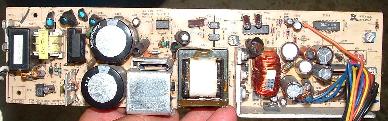 [154K], &
back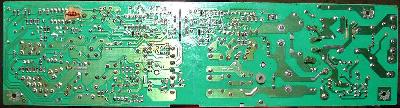 [163 K]
-
Top Panel Mini Keyboard Layout
1 2
ABC3
DEFLCD LCD LCD LCD ^ 4
GHI5
JKL6
MNOLCD LCD LCD LCD V 7
PQRS8
TUV9
WXYZ/ . 0 # ||||||| ||||||| ||||||| ||||||| <<--- <<_| 1/2 Sides < Green > Red //
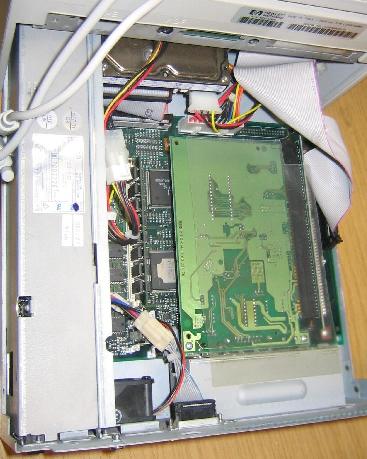 [Picture
850K]
[Picture
850K]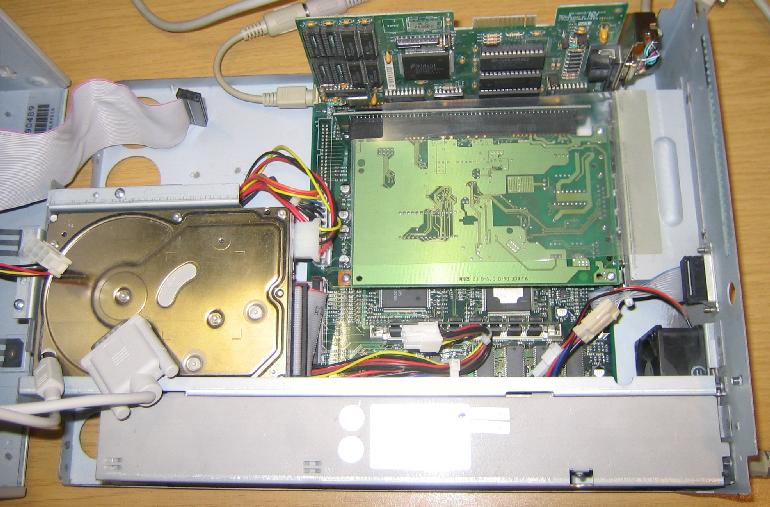 [Picture
900K]
[Picture
900K]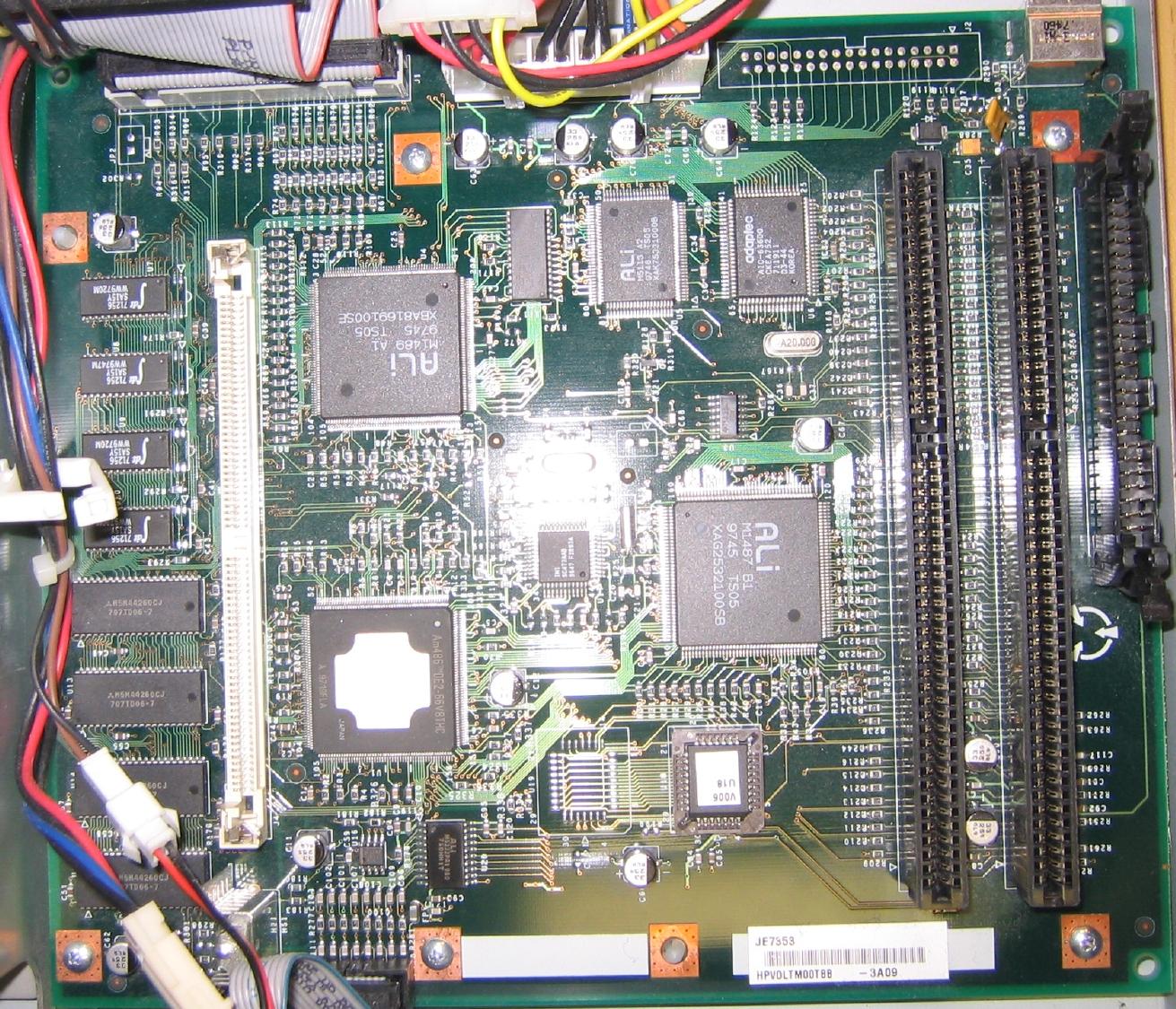
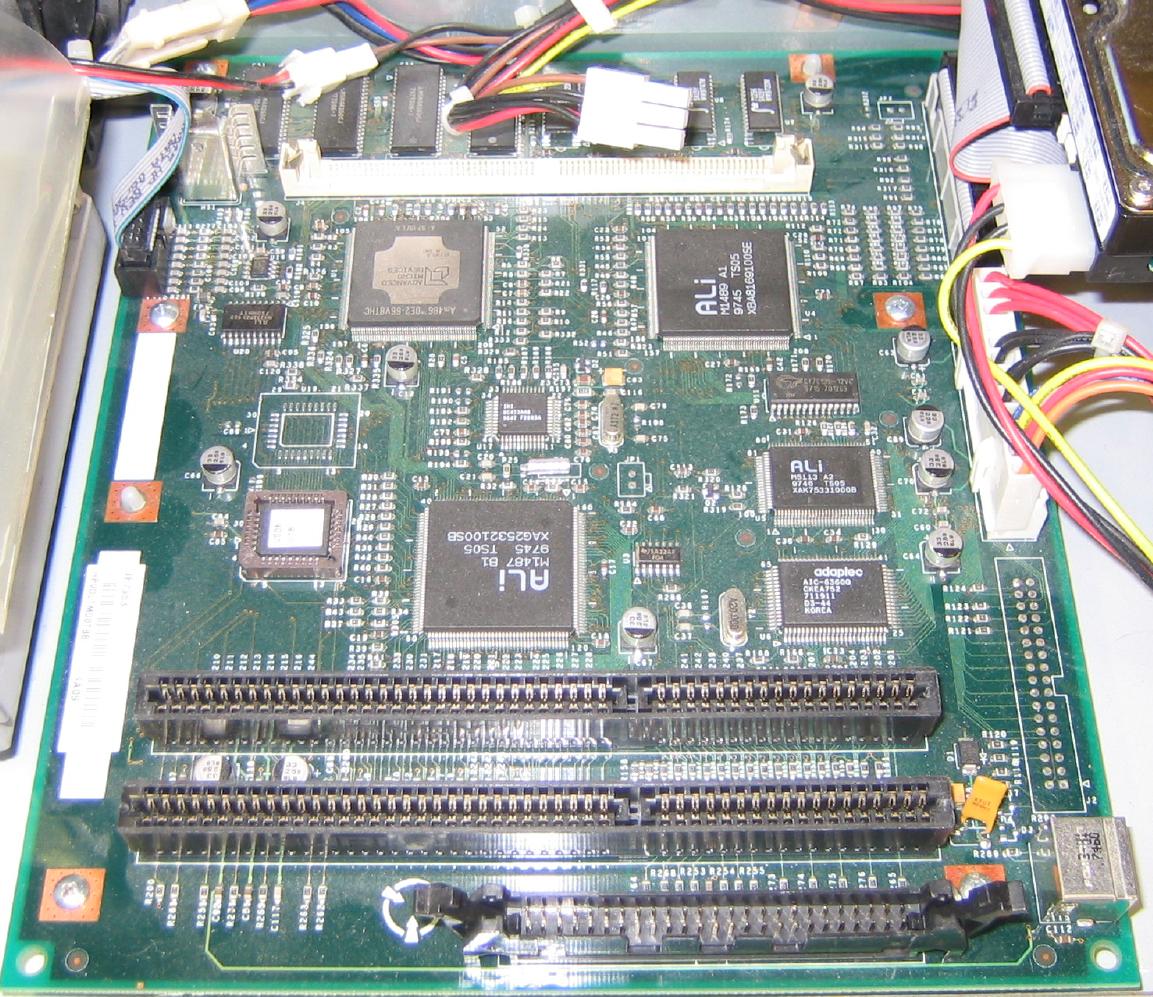
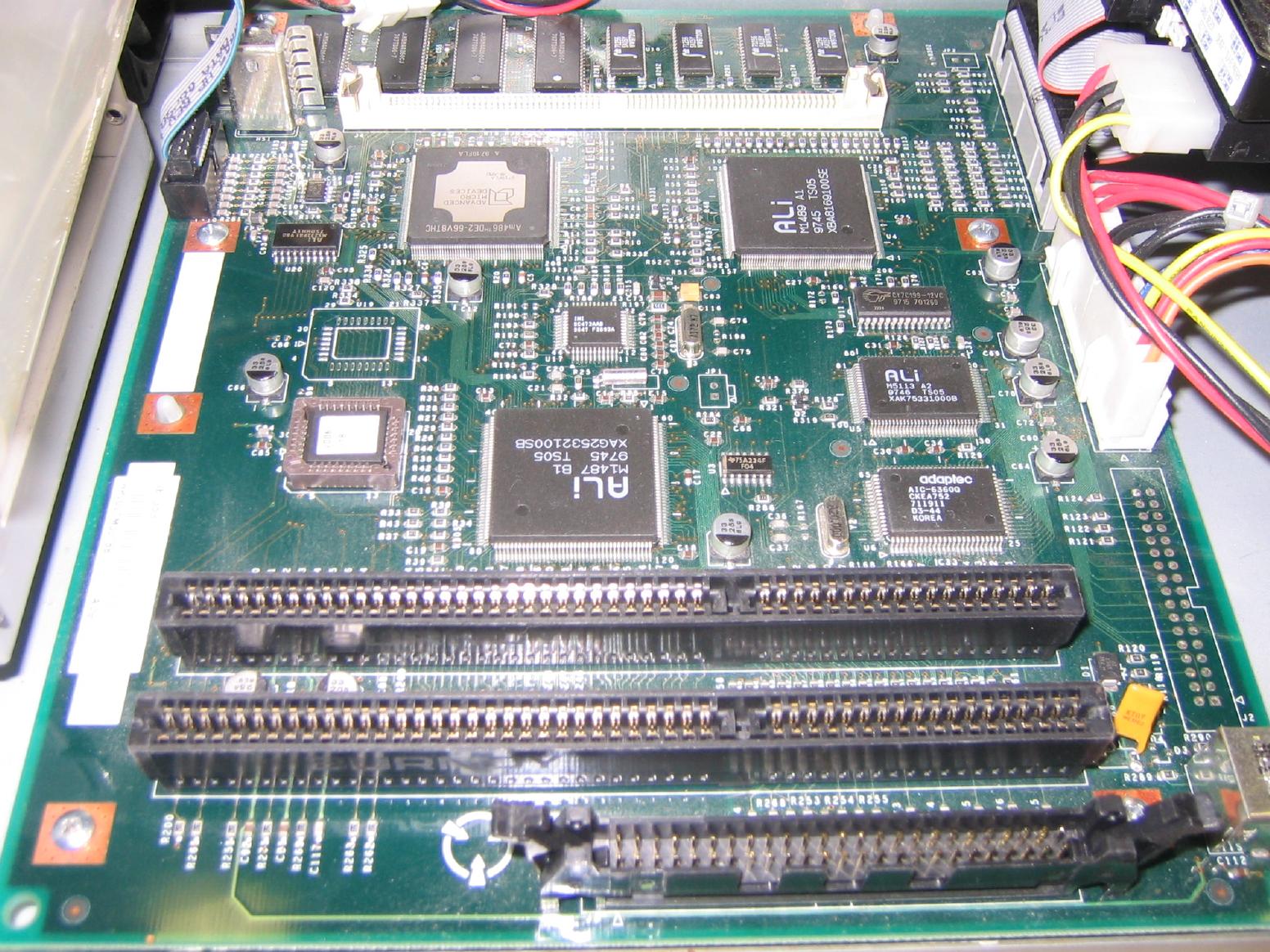
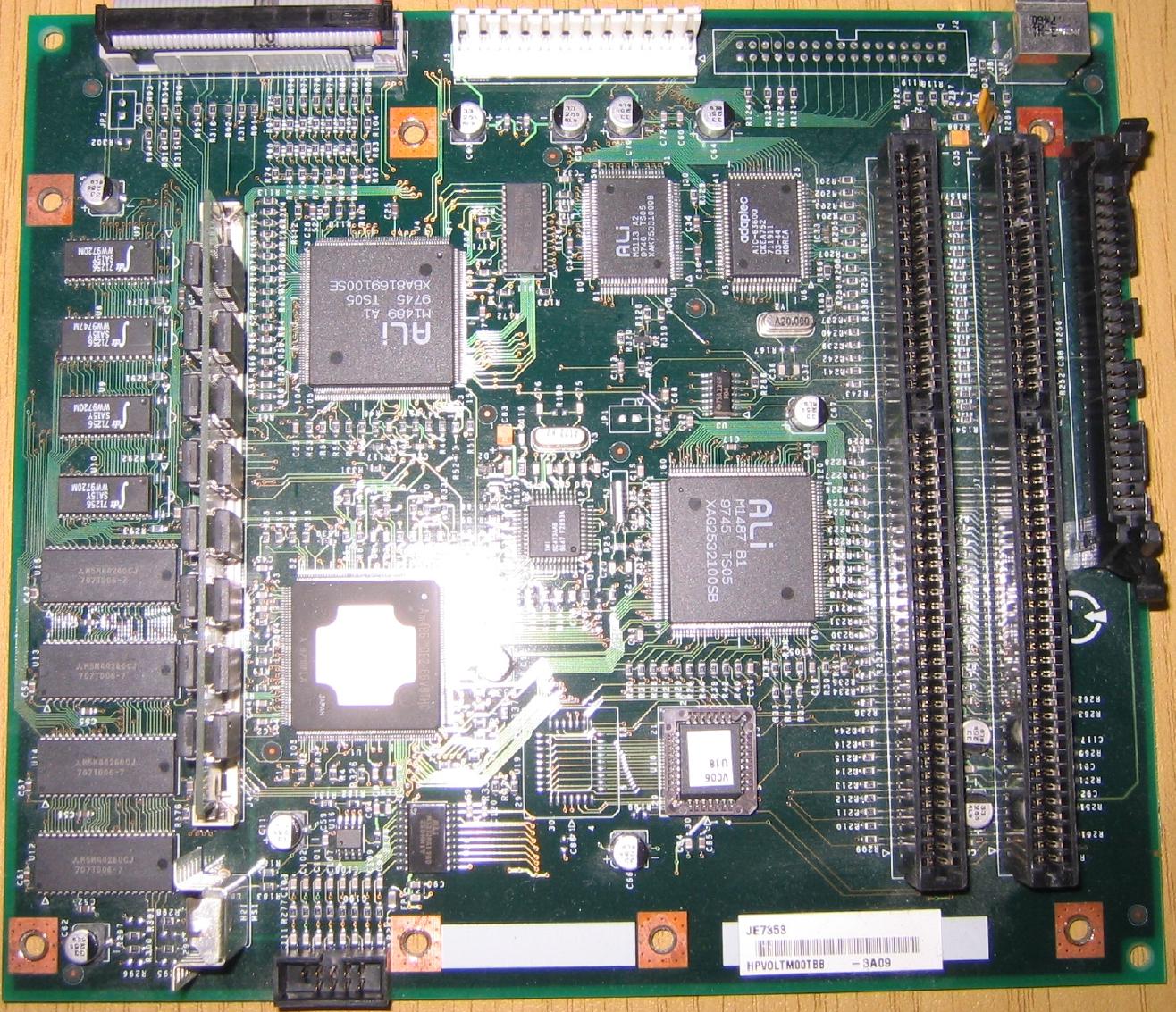
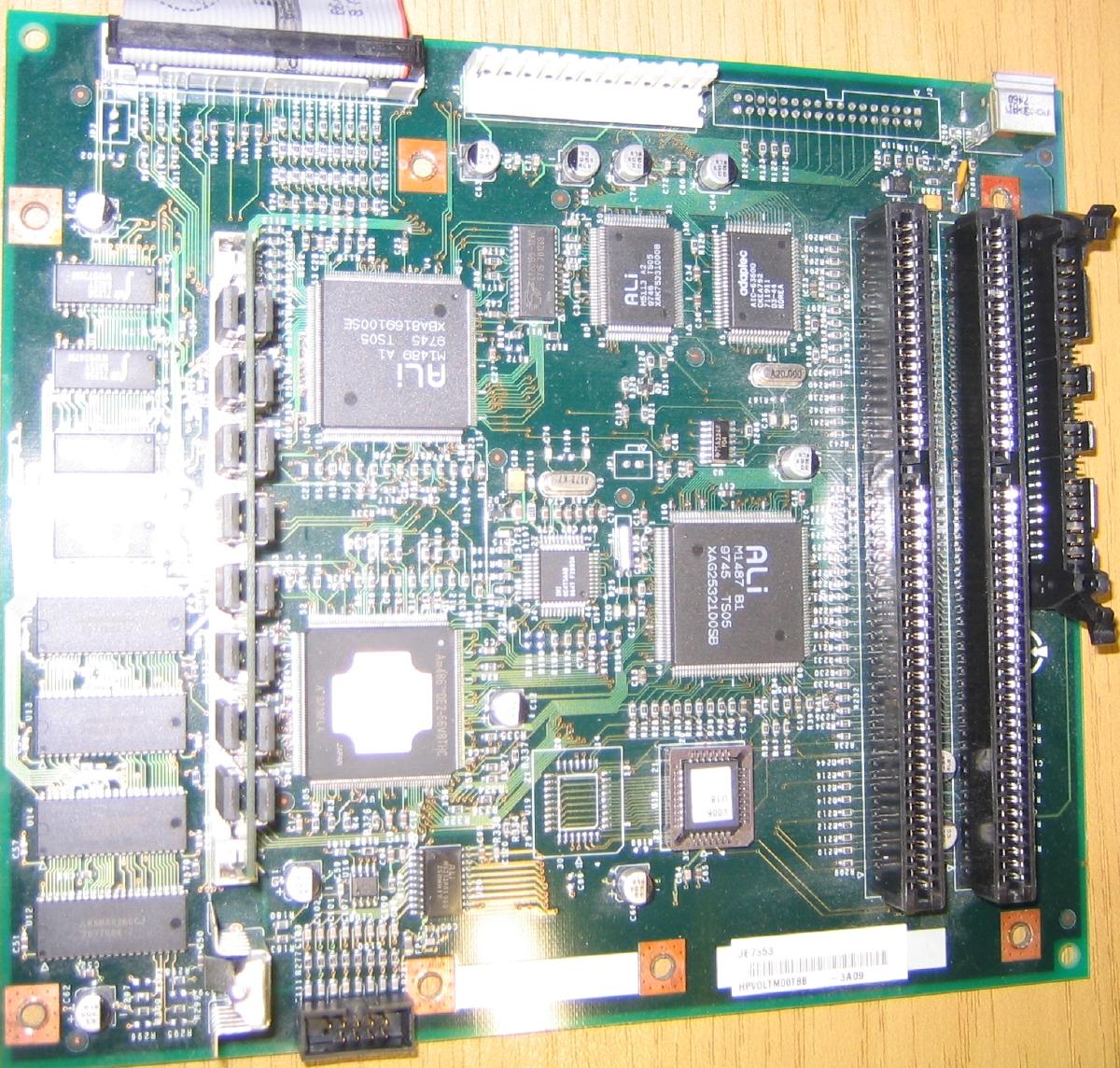
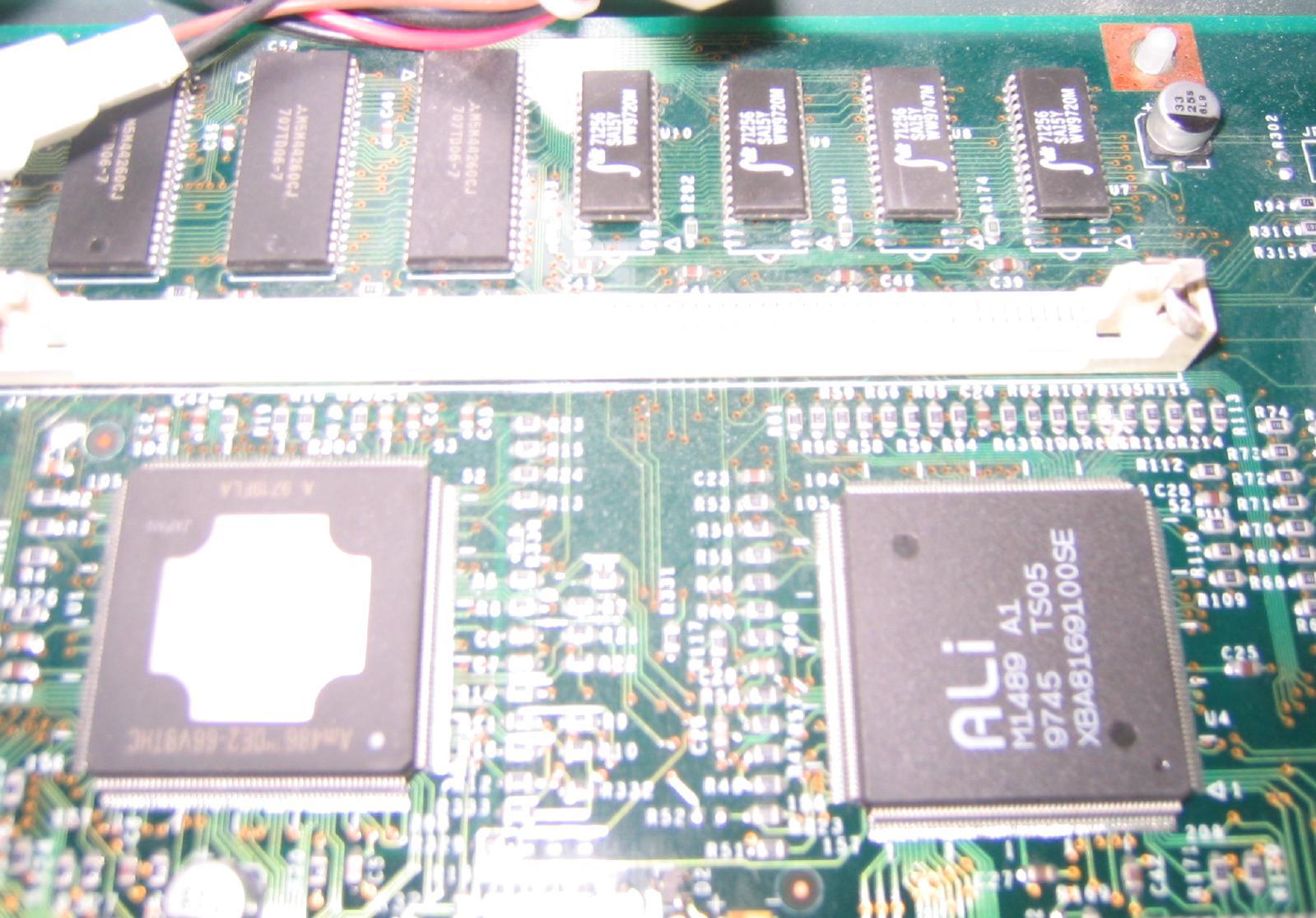
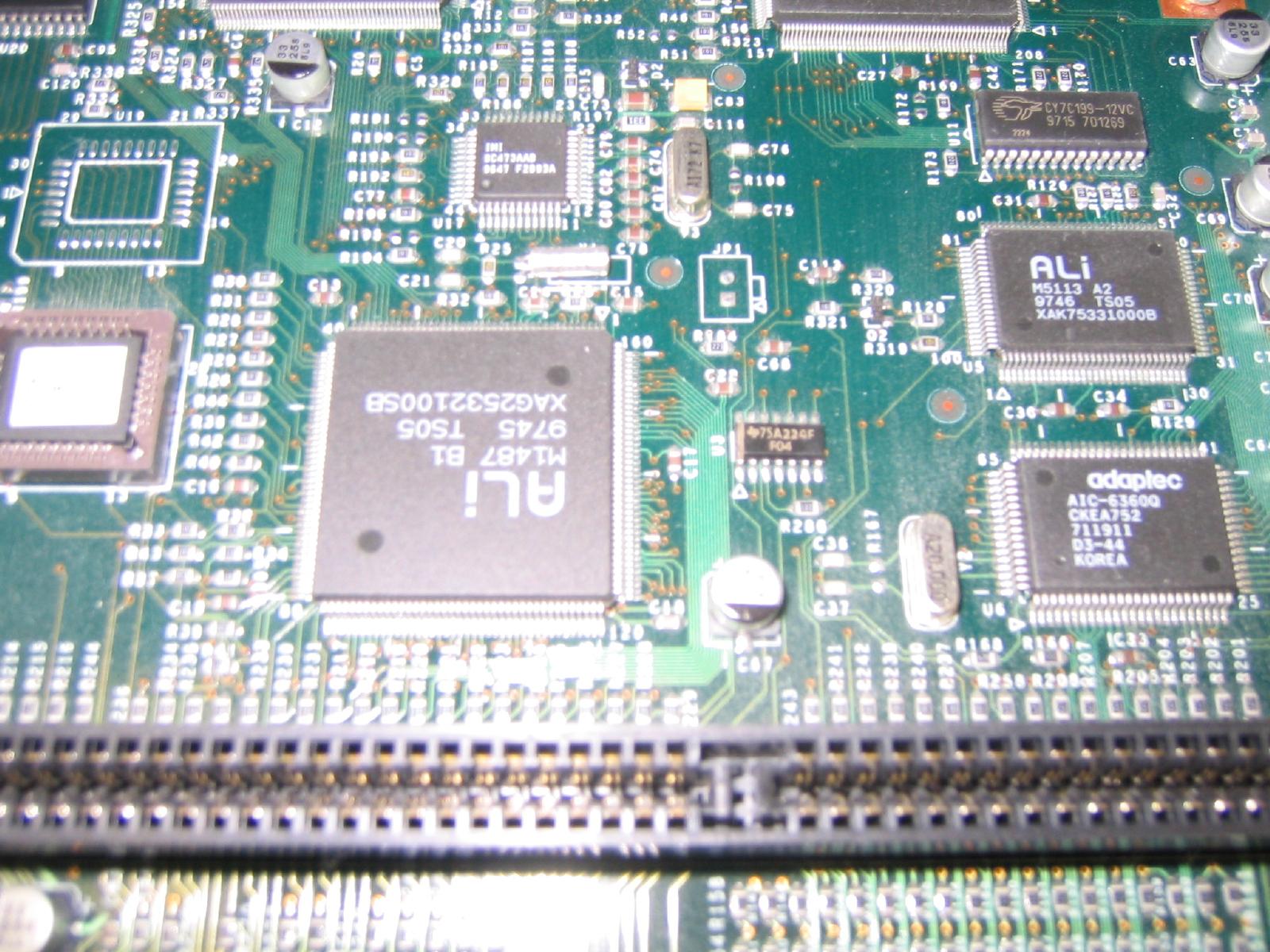
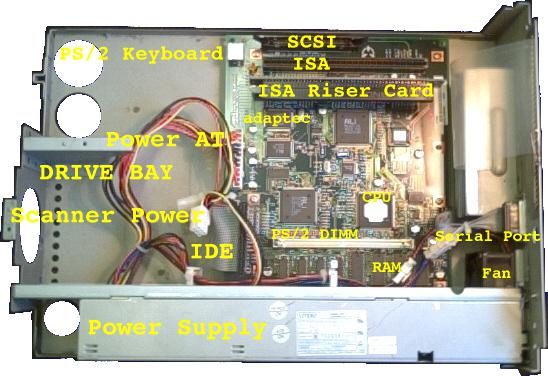
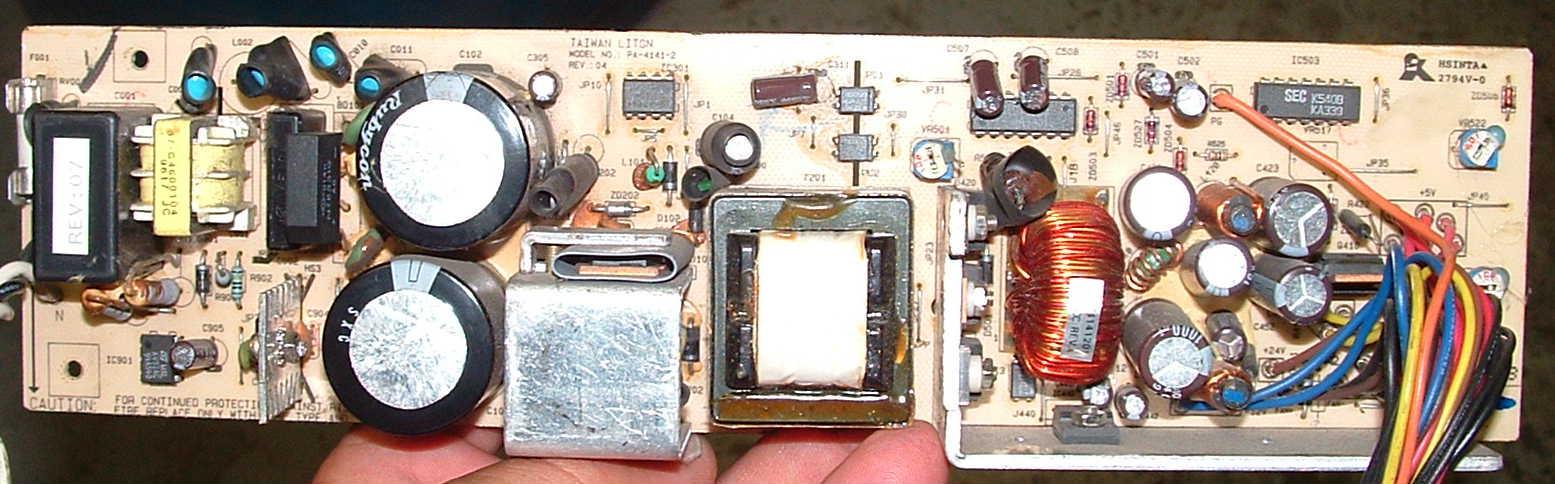 [154K]
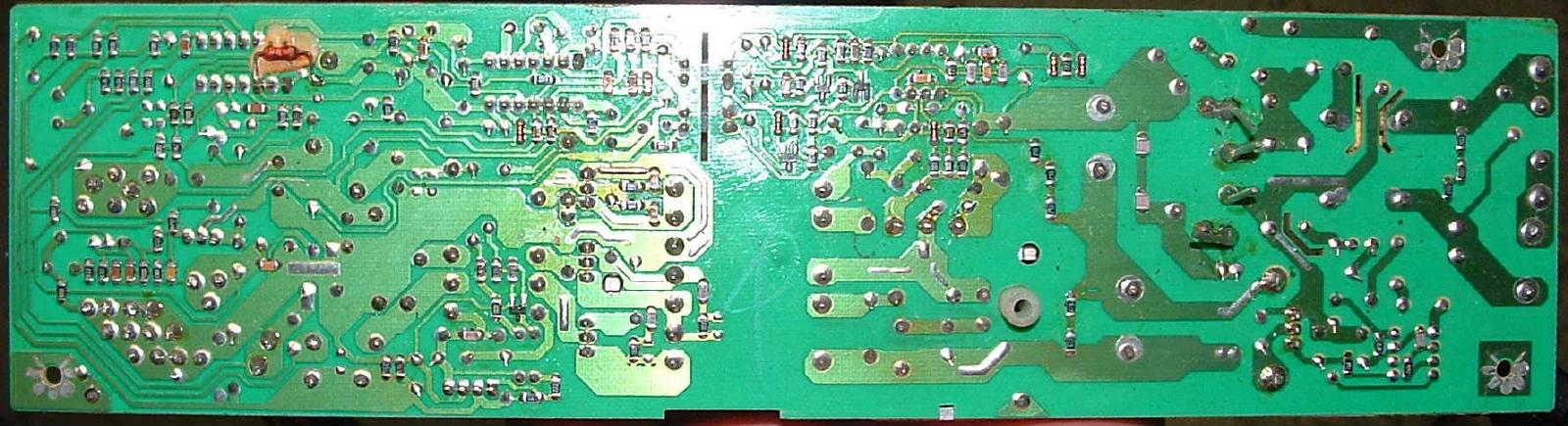 [163 K]
HP Spec (for what the hardware will do with their HP software)
| Feature | Specification |
| Scanner Type | Flatbed |
| Maximum Document Size | 216 x 297 mm (8.5 x 11.7 inches) |
| Scanning Element | Charged-coupled device |
| Light Source | Xenon lamp |
| Interface | LAN: Ethernet or Token Ring |
| Optical Resolution | 300 dpi |
| Scanning Speed (text mode) | 15 pages per minute |
| Image Processing Options | Text, Photo, Text & Photo |
| AC Line Voltage | 100240 VAC, 5060 Hz |
| Power Consumption | 70 W maximum |
| Weight | About 15.2 kg |
| ADF Capacity | 50 page maximum |
| Duty Cycle | 10,000 pages per month |
Order Your Commercial Conversion Kit & / Or Extensions Top Of Page
PS This has been exhibited numerous years at VCFE including at Saturday 2014-05-03.sjrun.sh
Tiffrotate
After you have removed staples & flatened folded corners, you may find the ADF (sheet feeder) still jams, if so rotate the stack & feed in backward, as the other end is probably flatter. Then you will need Tiffrotate (but beware it only flips individual sheet images, so you will also need Tiffsplit & & Tiffcp)2022-09-01 I had lost tiffrotate.c on my Network Scanjet 5,
& Tiffrotate is not in standard FreeBSD src/ or ports/ I
guess David wrote it, Below is how I found it:
2022-09-09 I did a search & compare of all files in
/usr/local/bin & sbin & compare with 9.2-RELEASE &
12.3-RELEASE to see what other bins I have without sources,
that need recovery from eg CD or ports/ etc list and notes here
Exploring David's ISO for source of tiffrotate
------
firefox http://madole.net/scanjet/install/
cd /pub/www.madole.net/scanjet/www.madole.net/scanjet/files
# fetch http://madole.net/scanjet/files/*
fetch http://madole.net/scanjet/files/scanjet5-installer-2004.10.16.iso
    ex_oc-2173_tpe-only...> 04-Feb-2006 12:51  6.4K
    if_oltr.c           09-May-2003 11:47   50K
    kernel-4.8-olicom-2173  28-Jan-2005 00:10  1.6M
    oc-2173_freebsd-4.diff  01-Aug-2003 20:18  6.0K
    scanjet5-2003.07.21...> 21-Jul-2003 00:48   23K
    scanjet5-2003.07.24...> 24-Jul-2003 13:12   24K
    scanjet5-2004.08.16...> 16-Aug-2004 21:20   38K
    scanjet5-2004.10.15...> 15-Oct-2004 13:36   43K
    scanjet5-2005.03.10...> 10-Mar-2005 12:10   39K
    scanjet5-2005.10.15...> 31-Oct-2005 00:24   39K
    scanjet5-2005.11.04...> 10-Nov-2005 23:40   40K
    scanjet5-beta-2003.0..> 15-Aug-2003 08:12   38K
    scanjet5-installer-2..> 17-Oct-2004 00:02   92M
    scanjet5-sql-tools.t..> 14-Nov-2005 08:59  2.8M
    sjcfg               30-Apr-2004 11:43   12K
    sjrun.conf.default      02-Aug-2003 16:03   15K
    sjrun.lang.danish       06-Oct-2004 08:10   10K
    sjrun.lang.default      02-Aug-2003 16:03   10K
    sjrun.lang.french       03-Dec-2004 10:15   10K
    sjrun.lang.german       13-Apr-2004 09:01   11K
    sjrun.lang.italian      25-Oct-2004 22:53   10K
    sjrun.lang.swedish      03-Dec-2004 10:14   10K

        6597    ex_oc-2173_tpe-only.diff
       51591    if_oltr.c
     1705765    kernel-4.8-olicom-2173
        6156    oc-2173_freebsd-4.diff
       23953    scanjet5-2003.07.21.tar.gz
       24089    scanjet5-2003.07.24.tar.gz
       39002    scanjet5-2004.08.16.tar.gz
       43687    scanjet5-2004.10.15.tar.gz
       39452    scanjet5-2005.03.10.tar.gz
       39542    scanjet5-2005.10.15.tar.gz
       40991    scanjet5-2005.11.04.tar.gz
       38486    scanjet5-beta-2003.08.14.tar.gz
    96010240    scanjet5-installer-2004.10.16.iso
     2975485    scanjet5-sql-tools.tar.gz
       12686    sjcfg
       15166    sjrun.conf.default
       10610    sjrun.lang.danish
       10567    sjrun.lang.default
       10599    sjrun.lang.french
       10939    sjrun.lang.german
       10656    sjrun.lang.italian
       10679    sjrun.lang.swedish
mdconfig -a -t vnode -f scanjet5-installer-2004.10.16.iso
    md2
xs mount -t cd9660 -r /dev/md2 /mnt
cd /data/tmp
(cd /mnt ; tar cf - . ) | tar xf -
    -r-xr-xr-x   1 root  wheel  2048 Oct 17  2004 boot.cat*
    -r-xr-xr-x   1 root  wheel   2949120 Oct 17  2004 boot.flp*
    -r-xr-xr-x   1 root  wheel  92964305 Oct 17  2004 scanjet5.dump.bz2*
bzip2 -d scanjet5.dump.bz2
-r-xr-xr-x   1 root  wheel  353024000 Oct 17  2004 scanjet5.dump*
cd    /pri/www.madole.net/scanjet/from_david_iso_by_julian
restore rf /pub/www.madole.net/scanjet/www.madole.net/scanjet/files/scanjet5-installer-2004.10.16.iso
find . -name \*tiffrotate\*
    usr/local/bin/tiffrotate
    usr/local/src/scanjet5-2004.10.15/tiffrotate
    usr/local/src/scanjet5-2004.10.15/tiffrotate.c
umount /mnt
mdconfig -d -u 2


![Screw hole support posts [PIC 621K]](pics/screw_posts.jpg)
![Label on power supply [Picture 650K]](pics/power_label.jpg)
![left [Picture 236K]](pics/screw_left.jpg)
![right [Picture 200K]](pics/screw_right.jpg)
![power lead to scanner that remains in chassis, above tray [Picture 755K]](pics/scanner_power.jpg)
![disconnect scsi ribbon cable [Picture 670K]](pics/scsi_ribbon.jpg)
![Catches (small strips of metal riveted on to under side of main tray) [Picture 107K]](pics/catches.jpg)
![oblong slot holes [Picture 107K]](pics/holes.jpg)
![as shown here [PIC 38K]](pics/ram.jpg)
![this picture [PIC 348K]](pics/ram_alignment.jpg)
![Picture of RAM Adaptors here [Picture 990K]](pics/ram_adapt.jpg)
![3com (driver=ep) Component side face up. [Picture 1200K]](pics/ether_ep_up.jpg)
![3com (driver=ep) Component side face down (as it would be installed in Network Scanjet) [Picture 165K]](pics/ether_ep_down.jpg)
![Novell NE2000 type (driver=ed) Component side face up. [PIC 1200K]](pics/ether_ed_up.jpg)
![Novell NE2000 type (driver=ed) Component side face down. [PIC 990K]](pics/ether_ed_down.jpg)
![these tools [Picture 56K]](pics/tools.jpg)
![picture 1 of 4 [PIC 677K]](pics/ether_unscrew_1.jpg)
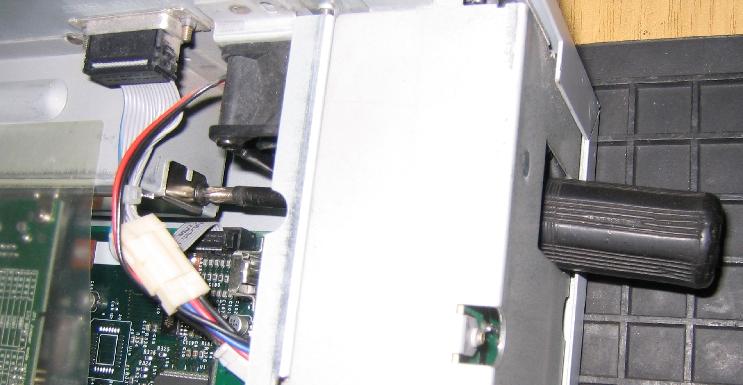
![picture 3 of 4 [PIC 715K]](pics/ether_unscrew_3.jpg)
![picture 4 of 4 [PIC 533K]](pics/ether_unscrew_4.jpg)
![upward [Picture 294K]](pics/disc_up.jpg)
![downward [Picture 214K]](pics/disc_down.jpg)